One machine built to grow your online business.
The growth system for your online business. Plug your business in, and one machine handles your operations, acquires new customers and brings in new revenue, run by an operator agent that knows your business. More than 25 jobs, handled by one very powerful machine.
Now opening to a small group of businesses.
Here's your first day.
About eight minutes of setup, then a Home built for where your business is right now. Already selling or starting from zero, you start working the same day.
- 1
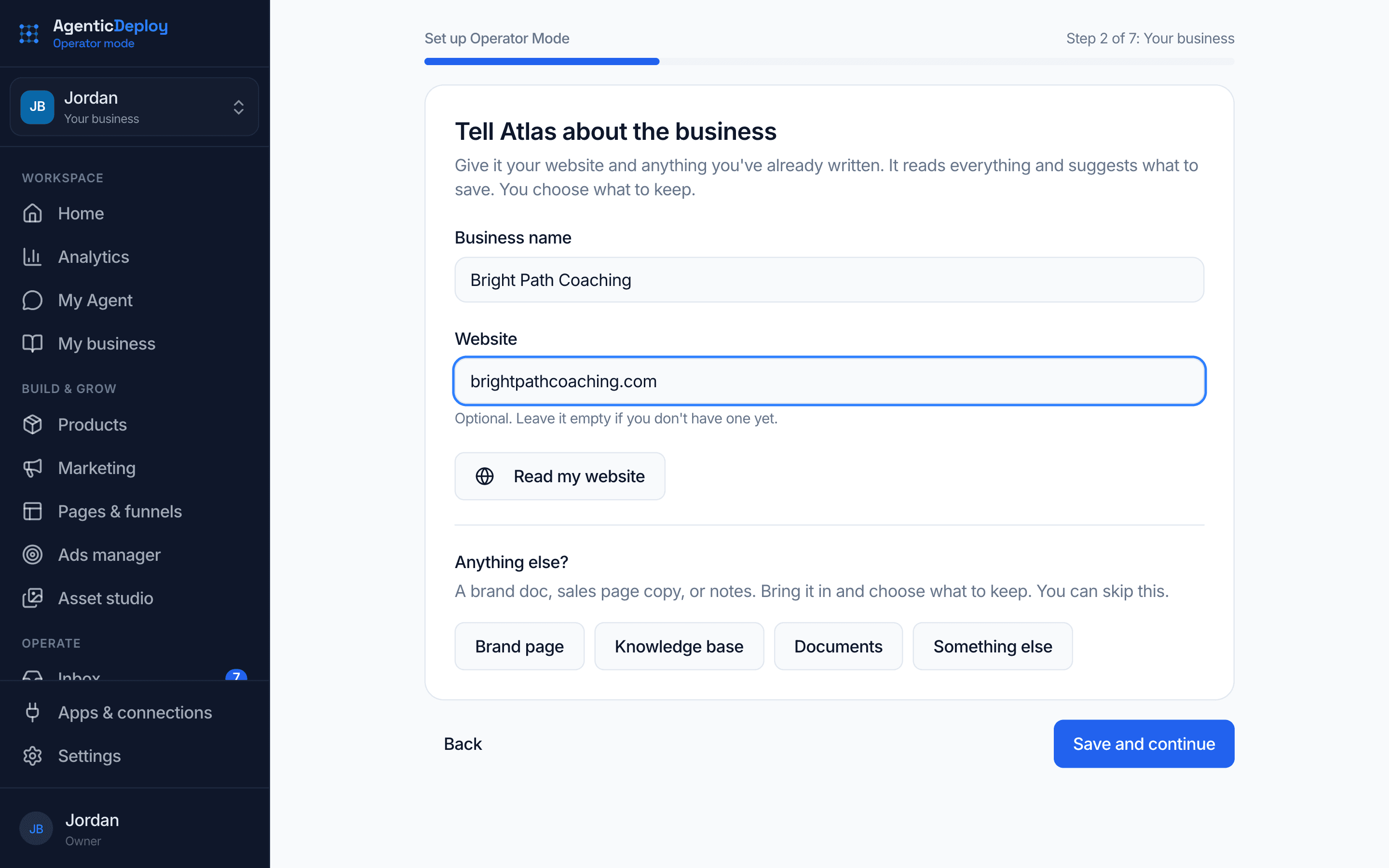
Tell it about your business.
Setup opens on your first login. Everything you enter is saved as you go, so your agent never asks twice.
- Name your agent and tell it about the business
- Let it read your website, and bring in a brand doc or sales page if you have one
- Say where you are today and set your monthly goal
- Connect payments, email sending and the apps you use
- 2
Home fits where you are.
Setup asks where your business is today, and Home opens on the right screen for it.
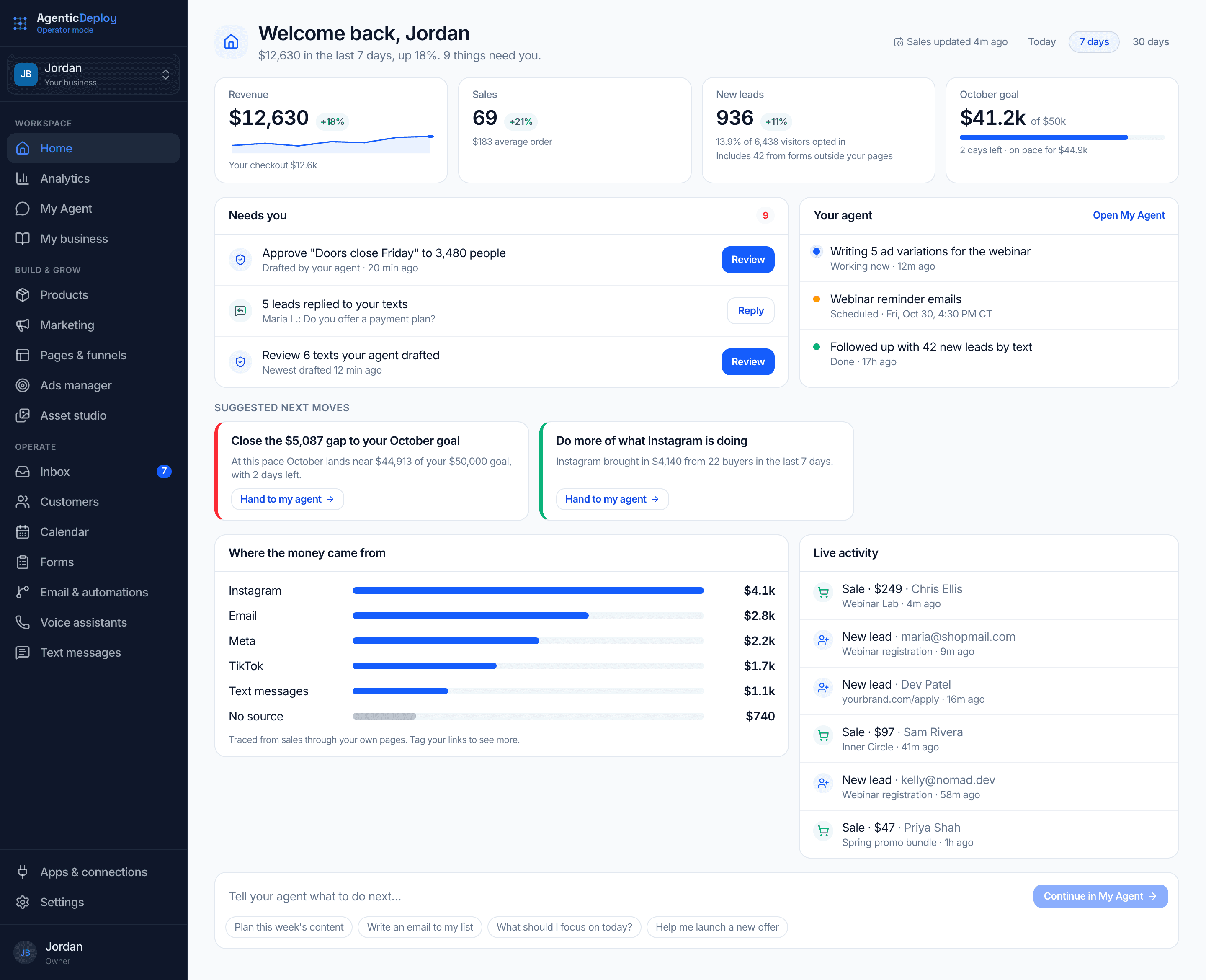
Already selling
Home opens on your numbers.
- Sales, leads and your monthly goal for the dates you pick
- What needs you, with the button to handle it
- What your agent is working on right now
- Where the money came from
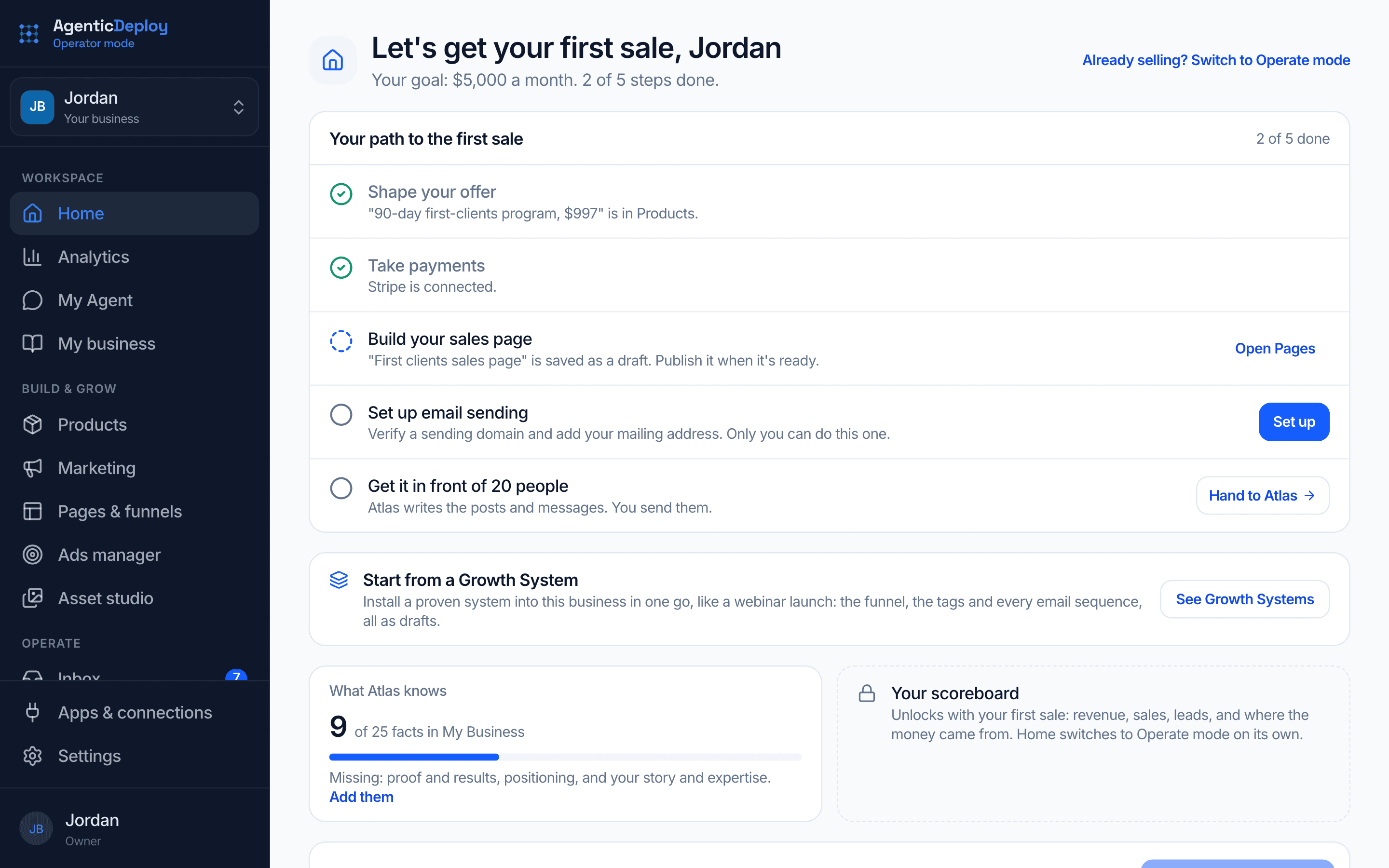
Not selling yet
Launch mode: five steps to your first sale.
- 1Shape your offer · Your agent helps
- 2Take payments · Only you
- 3Build your sales page · Your agent drafts, you review
- 4Set up email sending · Only you
- 5Get it in front of 20 people · Your agent writes, you send
Your first sale switches Home to your numbers on its own.
- 3
Hand it to your agent.
The last setup screen offers to have your agent write your plan. From there, the work on Home hands straight to your agent, and you approve what comes back.
The screens you run the business from.
Home
Open it and know what needs you.
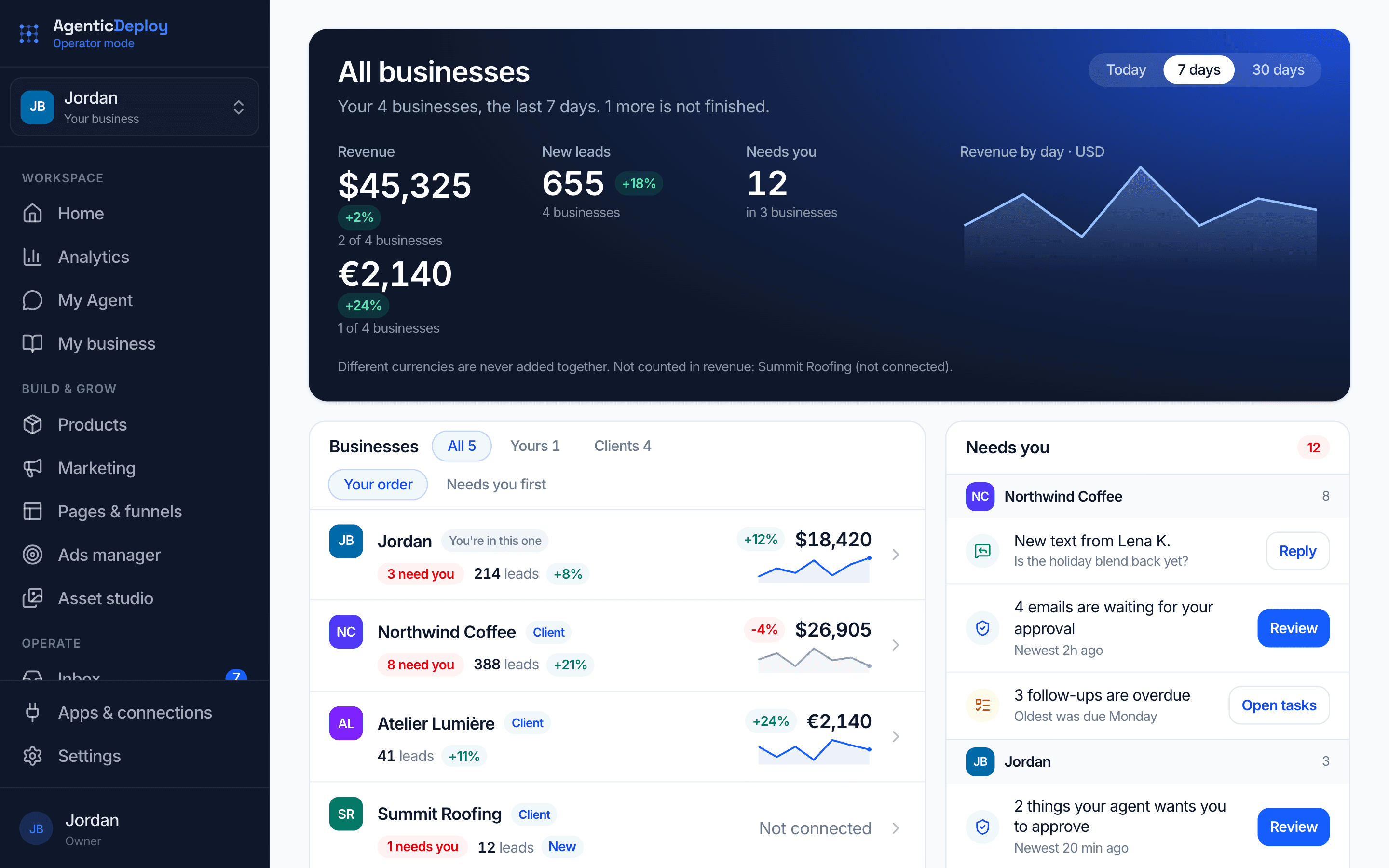
Home is your scoreboard: sales and leads for the dates you pick, the decisions waiting on you, what your agent is working on, and the setup steps left. No digging through five tools to find out how the week is going.
- What needs you, with the button to handle it
- What your agent is doing right now
- Sales, leads and your monthly goal at a glance

My Agent
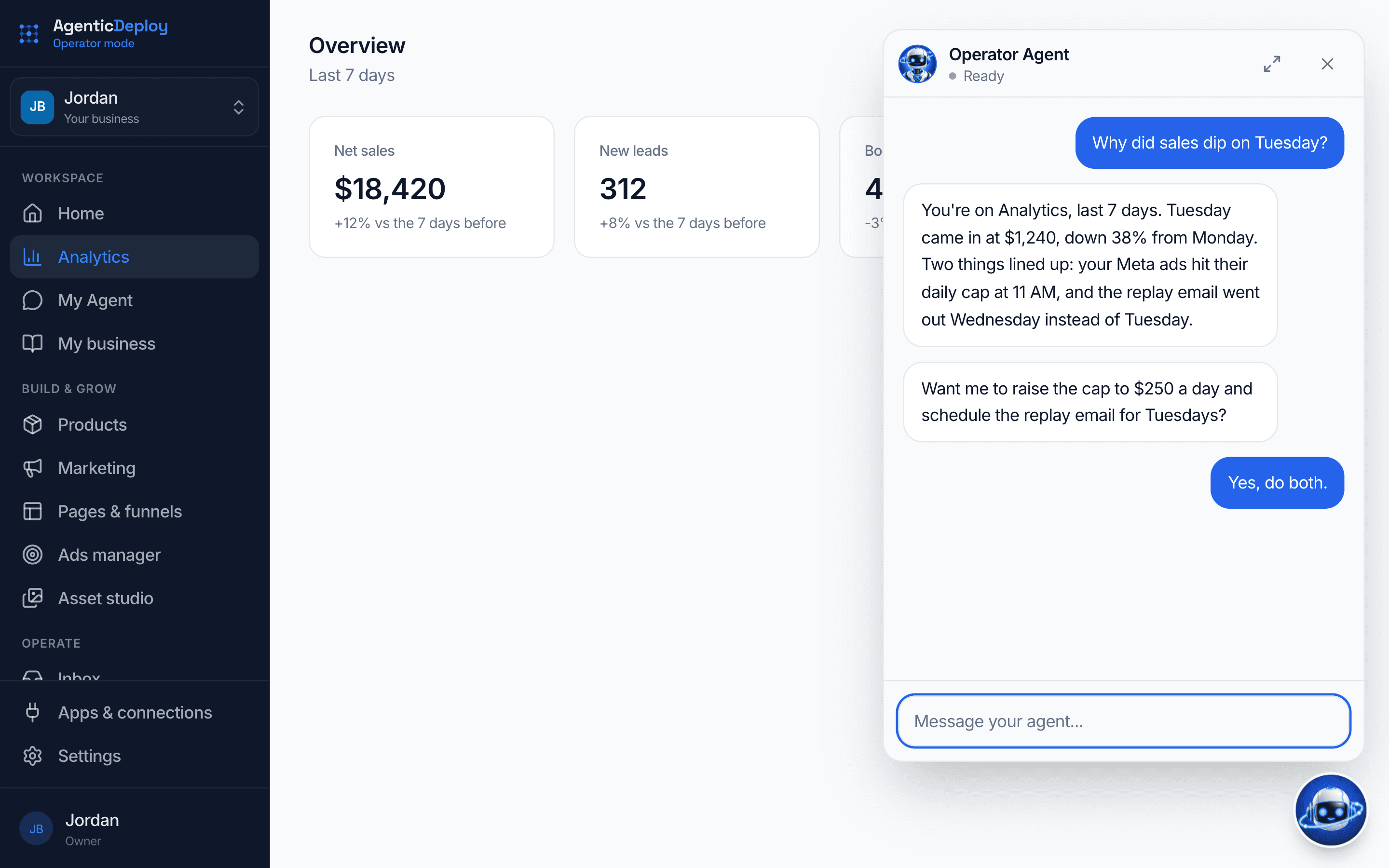
Ask for the work. Approve the result.
Tell your agent what you need in plain English: a sales page for the spring promo, a follow-up sequence, a slide deck for Thursday's webinar, a read on why sales slowed. It can do the work you do in Operator Mode, and it sits on every page, ready to help with whatever you're looking at.
- Your agent on every page, ready to help with what's on screen
- Message it on the web, in Telegram or in Slack
- You choose what waits for your yes
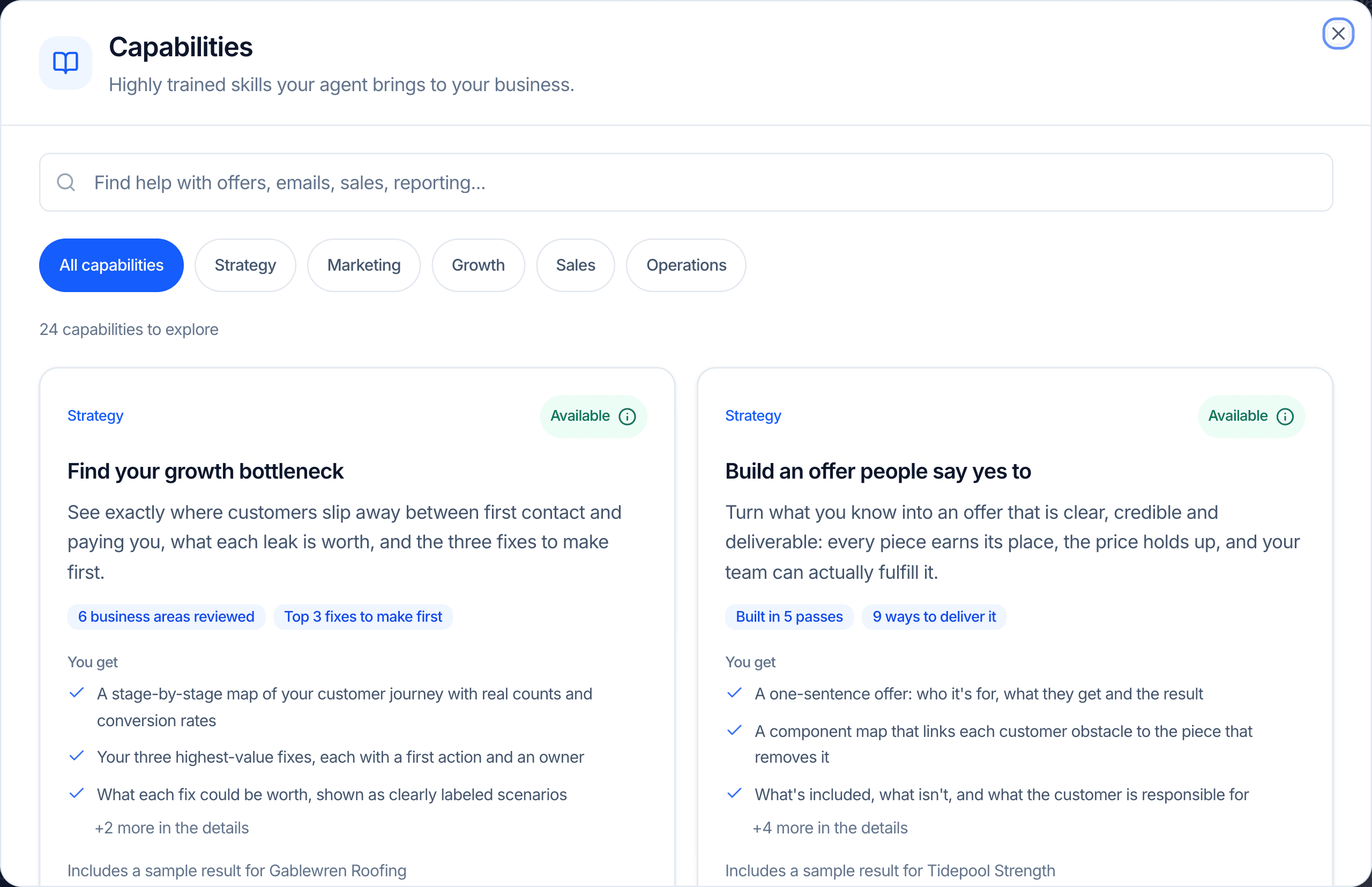
Capabilities
Expert jobs, built in.
Your agent brings a set of proven jobs to your business, like finding your growth bottleneck or building an offer people say yes to. Open one to see exactly what you get and a sample result, or just talk to your agent about what you are working on.
- Strategy, marketing, growth, sales and operations
- Each one shows what you get before you start
- Built around your offer, your audience and your numbers
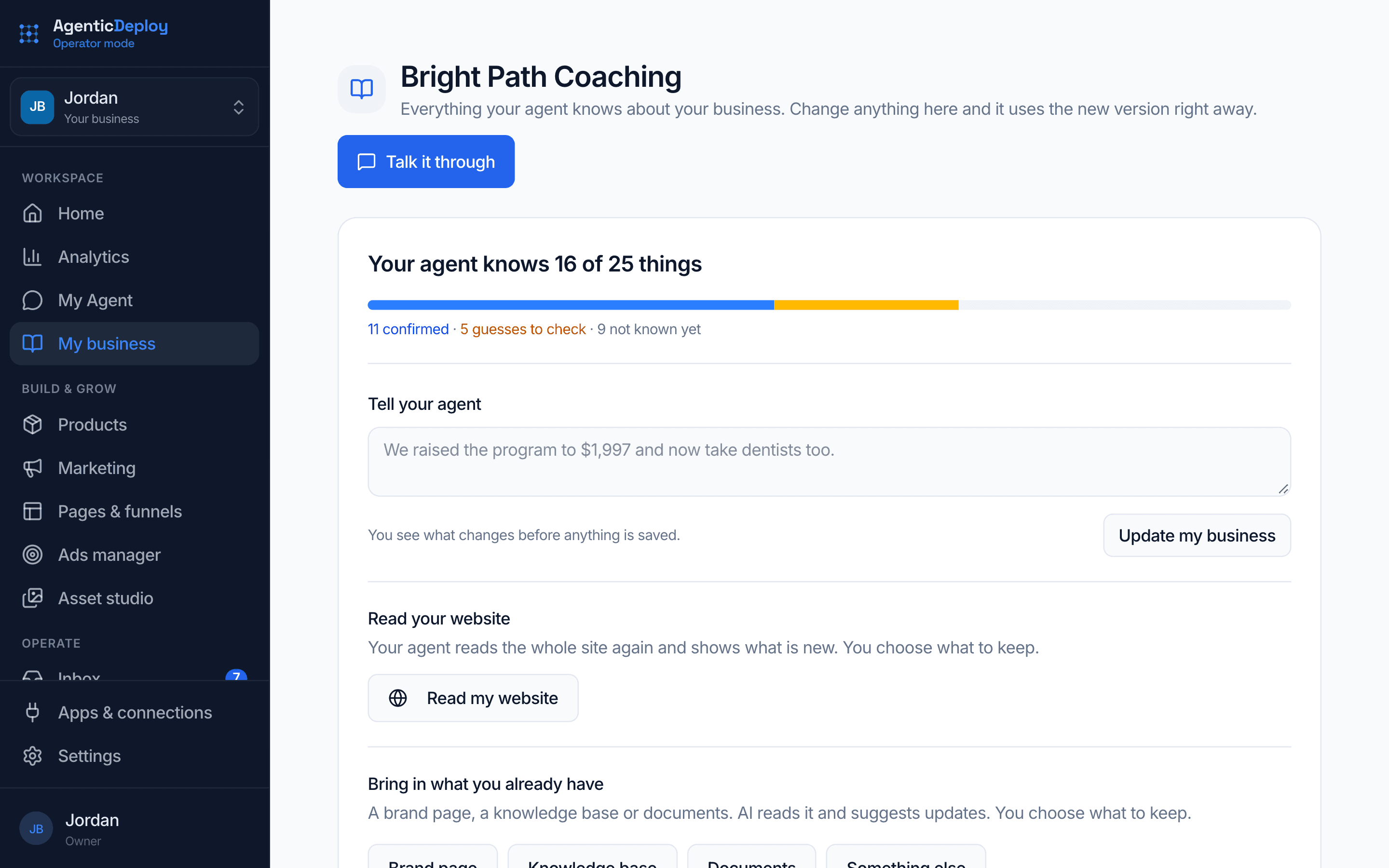
My business
Tell it about your business once.
Bring in what you already have, like a brand page, a knowledge base or your documents. Your agent reads it, suggests updates, and you choose what to keep. Everything it builds starts from that picture of your business.
- Import a page, a document or a knowledge base
- You approve what gets kept
- One picture of the business behind every piece of work
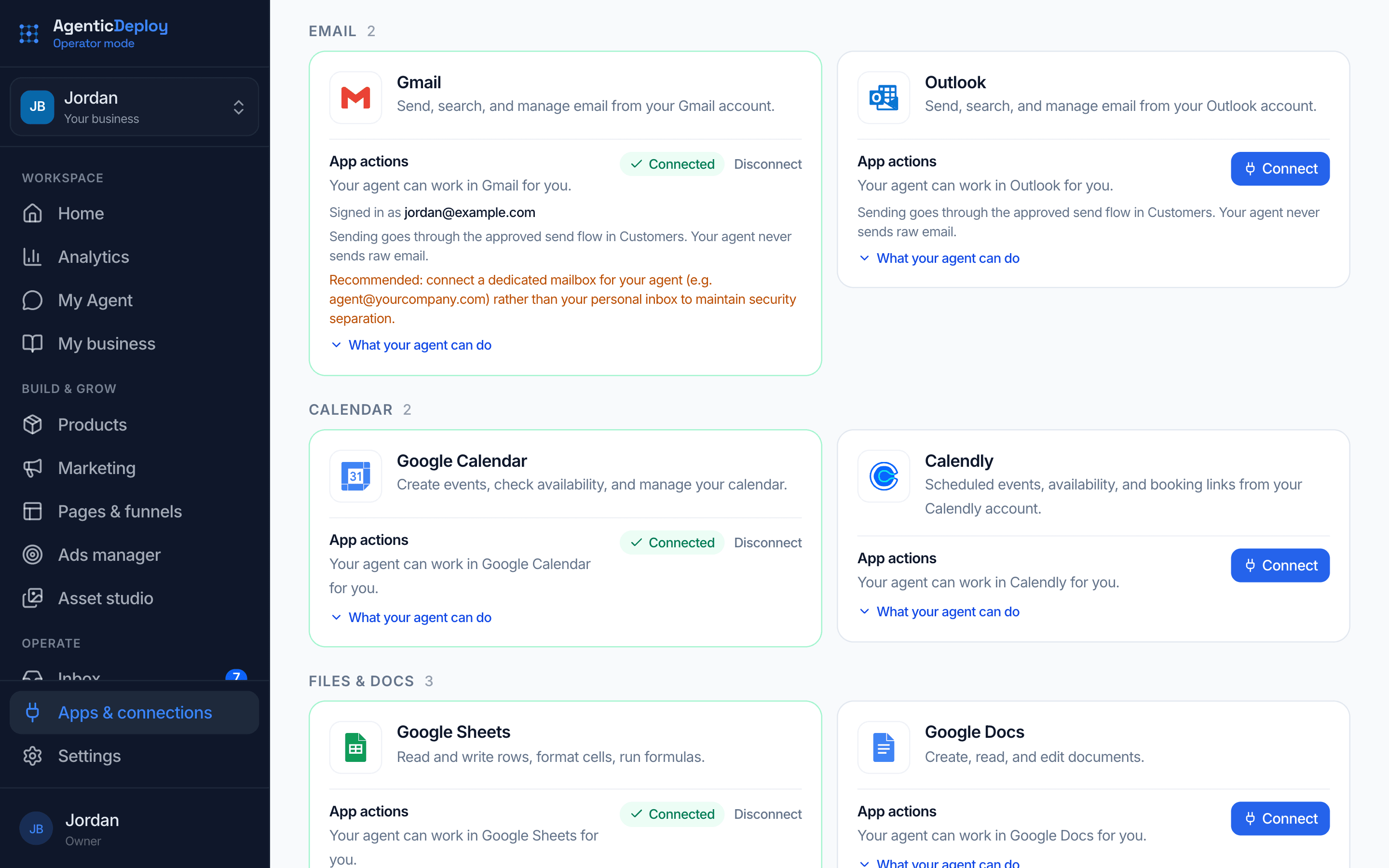
Apps and connections
Works with the tools you already use.
Connect your email, calendar, files and business apps so your agent can work in them. Turn on Ask before making changes, and your agent asks before it changes anything in a connected app, unless you have already allowed that kind of change.
- Email, calendar, files, CRM, commerce and more
- You decide what it asks about first
- Disconnect any app at any time
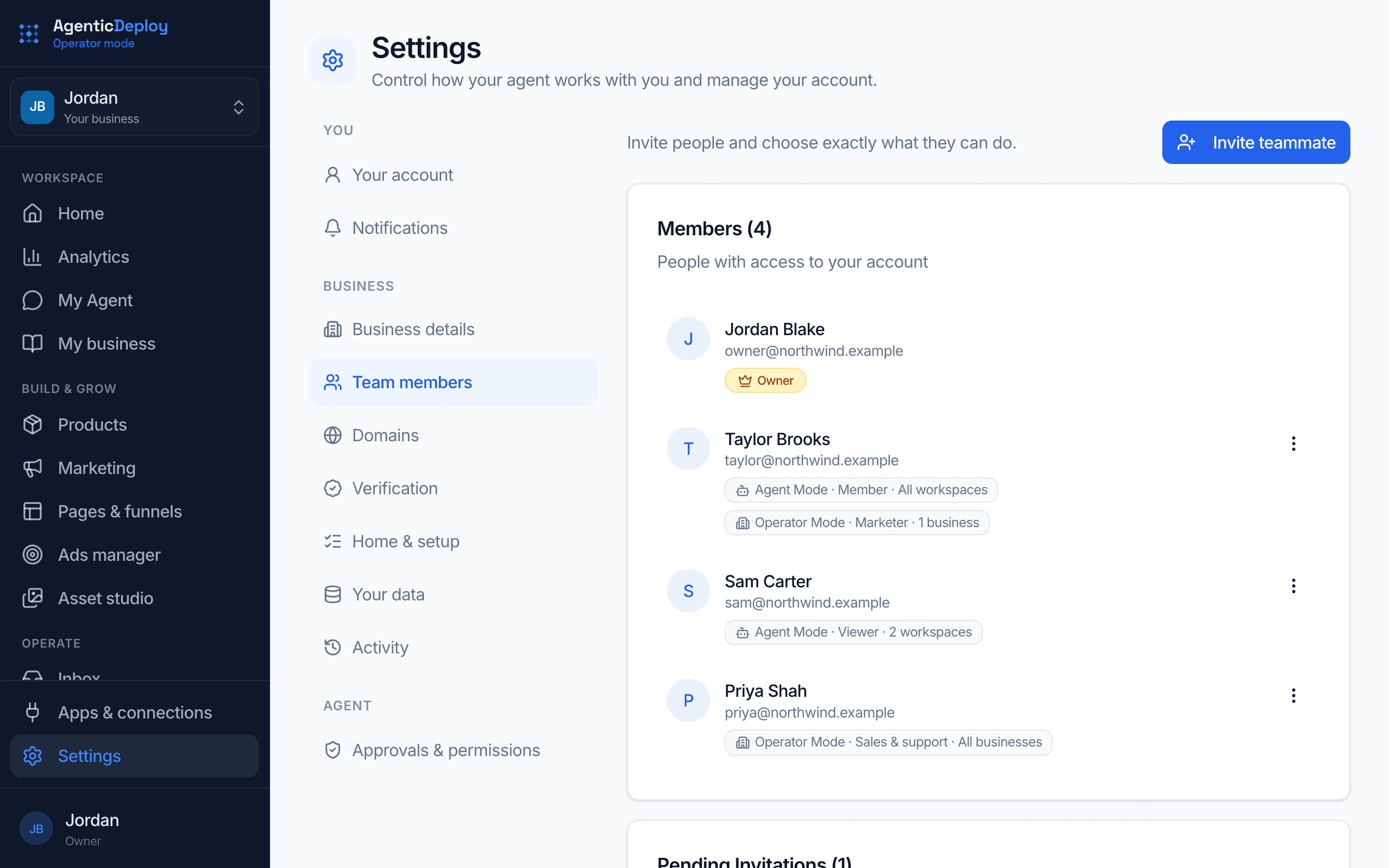
Your team
Bring your team in, each with the right access.
Invite teammates and give each one a role: Admin, Marketer, Sales & support or Viewer, or pick exactly what they can open and change. They can work with your agent inside their role, and nothing outside it happens without approval. Billing, your team, and adding or closing a business stay with you.
- Roles built for marketing, sales and support
- Teammates chat with your agent within their role
- Admins can approve other teammates' requests
- Read any teammate's conversations with your agent
Several businesses
Run more than one business from one login.
Add a business from the switcher in the sidebar, your own or a client's. Each one keeps its own agent, customers, pages and numbers. All businesses puts them side by side, so you see revenue, new leads and what needs you in each without switching back and forth.
- Up to 10 businesses on one login
- Switch between them from the sidebar
- Revenue, leads and what needs you, side by side
Everything that brings new customers in.
Pages and funnels
Pages that sell, built with your agent.
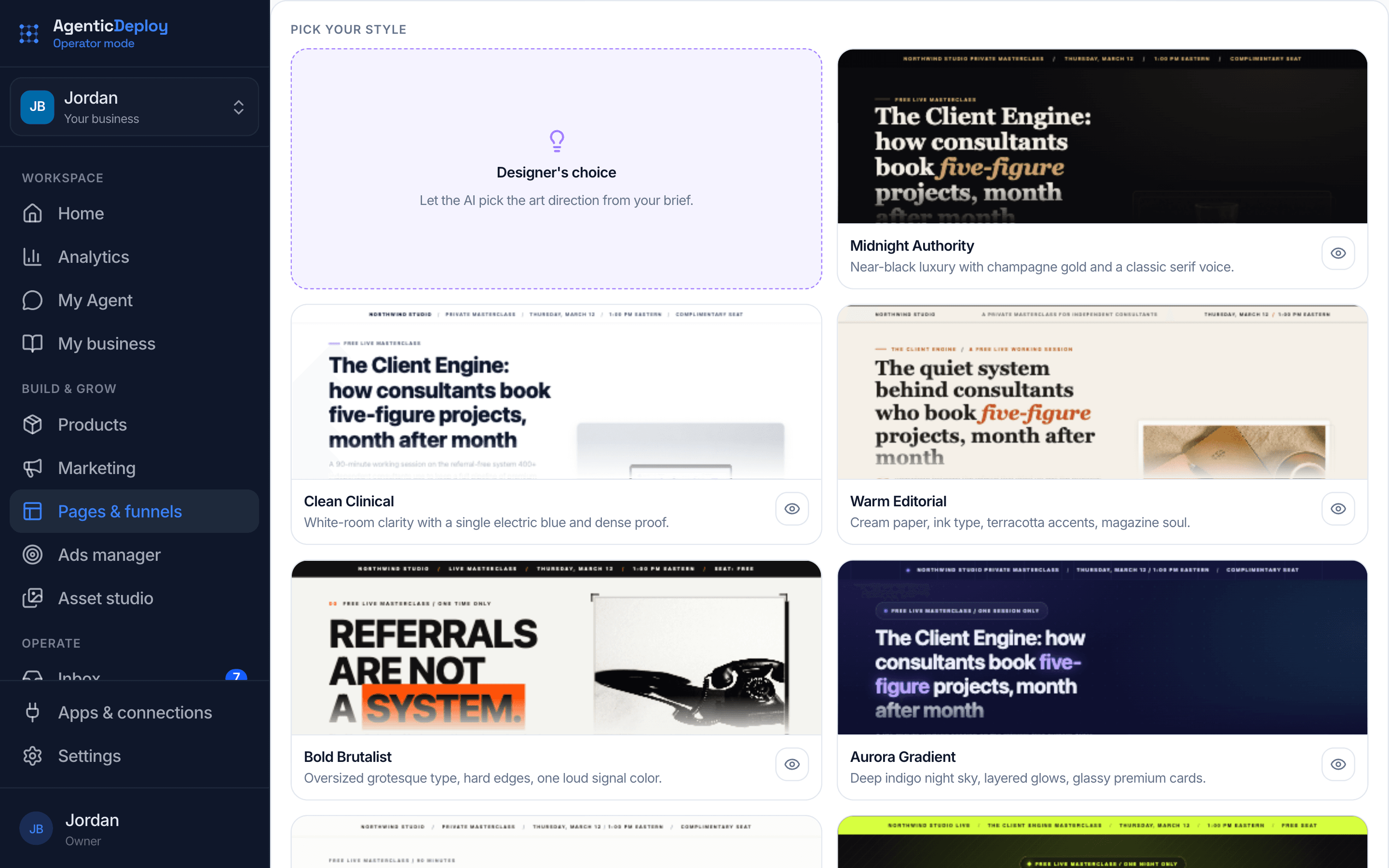
Tell your agent what you're selling and it builds the page: opt-in, sales, video sales, application, upsell, thank-you, or a storefront for every offer you have. Pick one of 50+ styles or describe the look you want, then click any part of the page to change it.
- Sales and video sales pages with the checkout right on the page
- On a video sales page, the offer appears at the minute you choose
- A storefront and link-in-bio page for your offers and free downloads
- Pop-ups, sticky bars and discount codes
- Copy a page or a whole funnel in one click
- Publish on your own domain, with the setup checked for you
Webinars
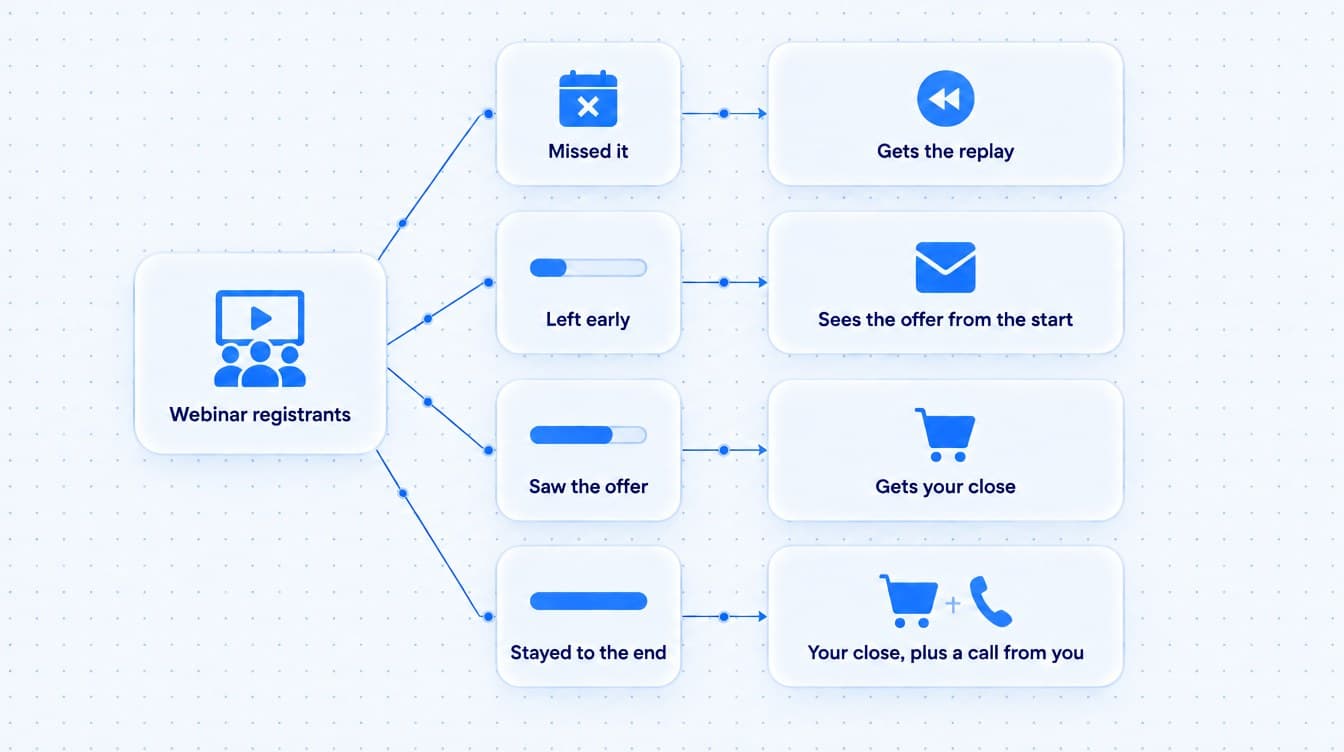
Every registrant followed up by how long they watched.
Connect your webinar platform, and each person's attendance and watch time lands on their record. People who missed it get the replay. People who left before the offer see it from the start. People who stayed to the end get your close, and you get a reminder to call them personally.
- Watch time on every contact
- A replay page placed right in your funnel
- Slide decks your agent writes and designs, ready to download as PowerPoint
Ads manager
Facebook and Instagram ads, built next to everything else.
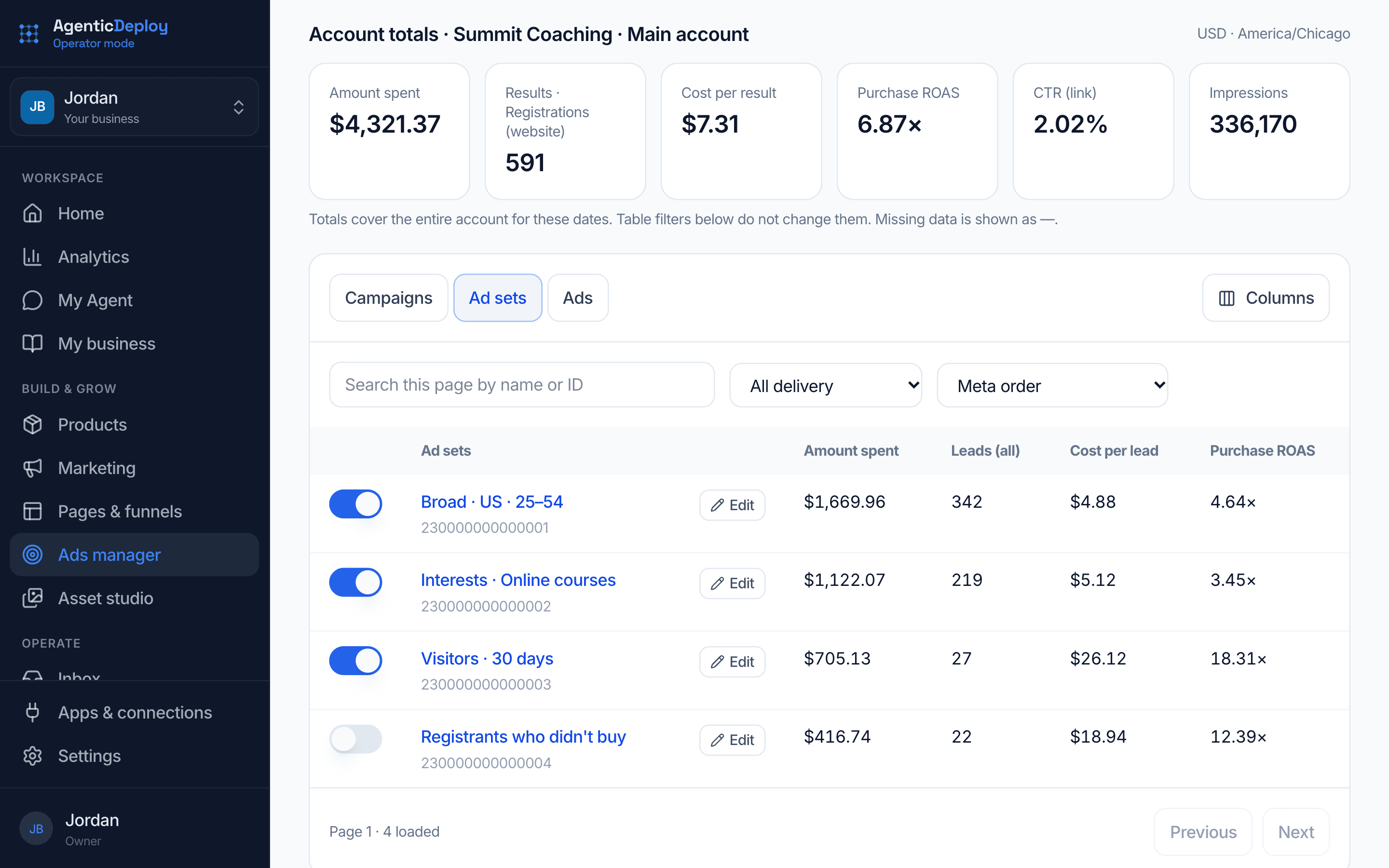
Your agent drafts the campaign from a ready-made setup, like webinar registrations, retargeting or product sales, with your creatives, audiences and budgets filled in. Everything is created on Meta paused. Nothing spends until you switch it on, and then you tune budgets, ads and audiences from the same place your pages and customers live.
- Eight ready-made setups, from lead generation to webinar retargeting
- Created paused: your agent can never switch spend on by itself
- Cost per lead, cost per purchase, return on ad spend and hook rate, up to 90 days back
- Audiences built from what people did, like registered but didn't attend
Email & automations
The right email at the right moment, set up once.
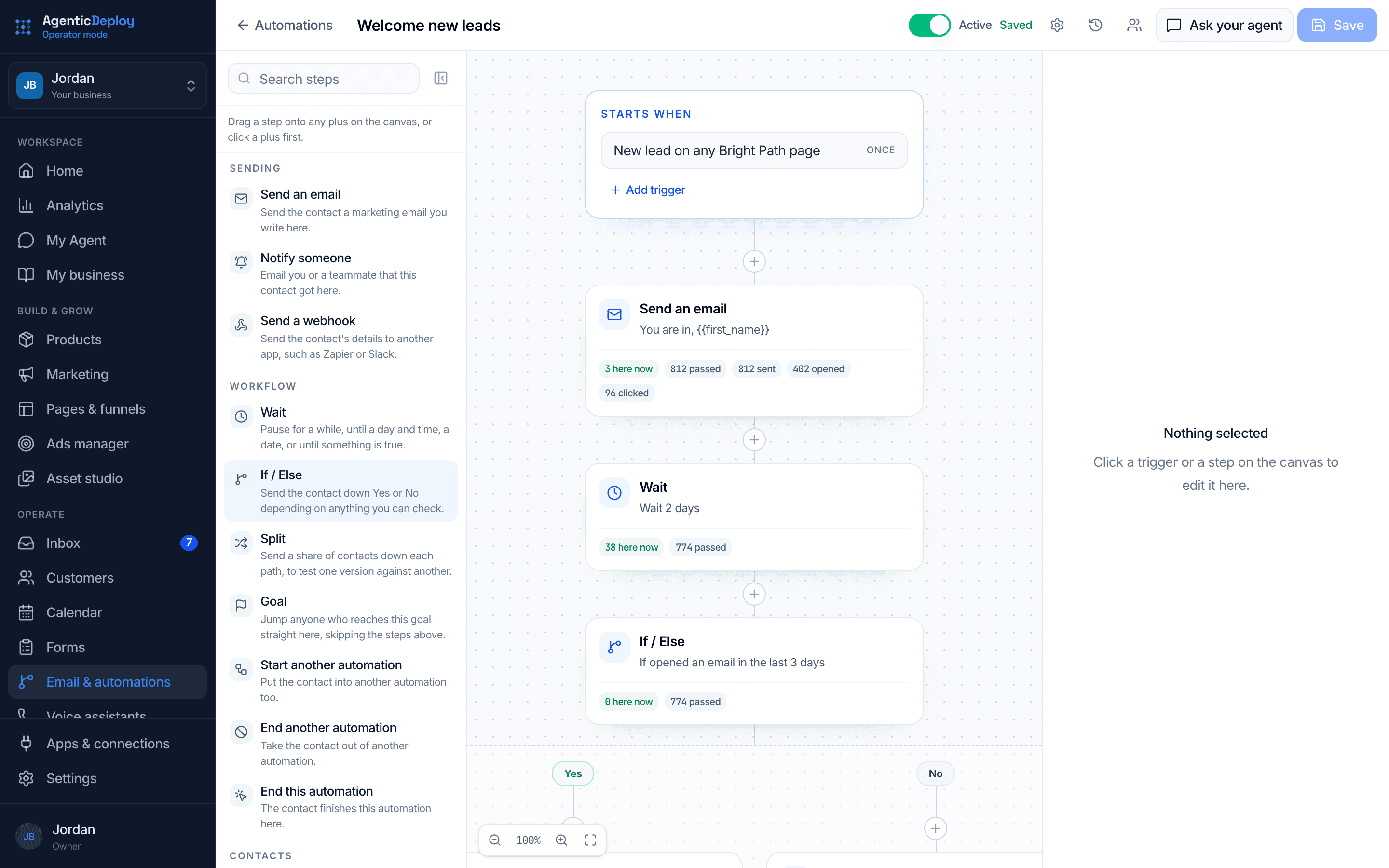
Build automations that welcome new leads, win back abandoned carts and recover failed payments. Put the steps in place: send an email, wait, check who opened, branch. Then see how many people are at each step.
- Automations that start from real events, like a new lead or a failed payment
- Emails, waits, branches and splits on one canvas
- See how many people are at every step
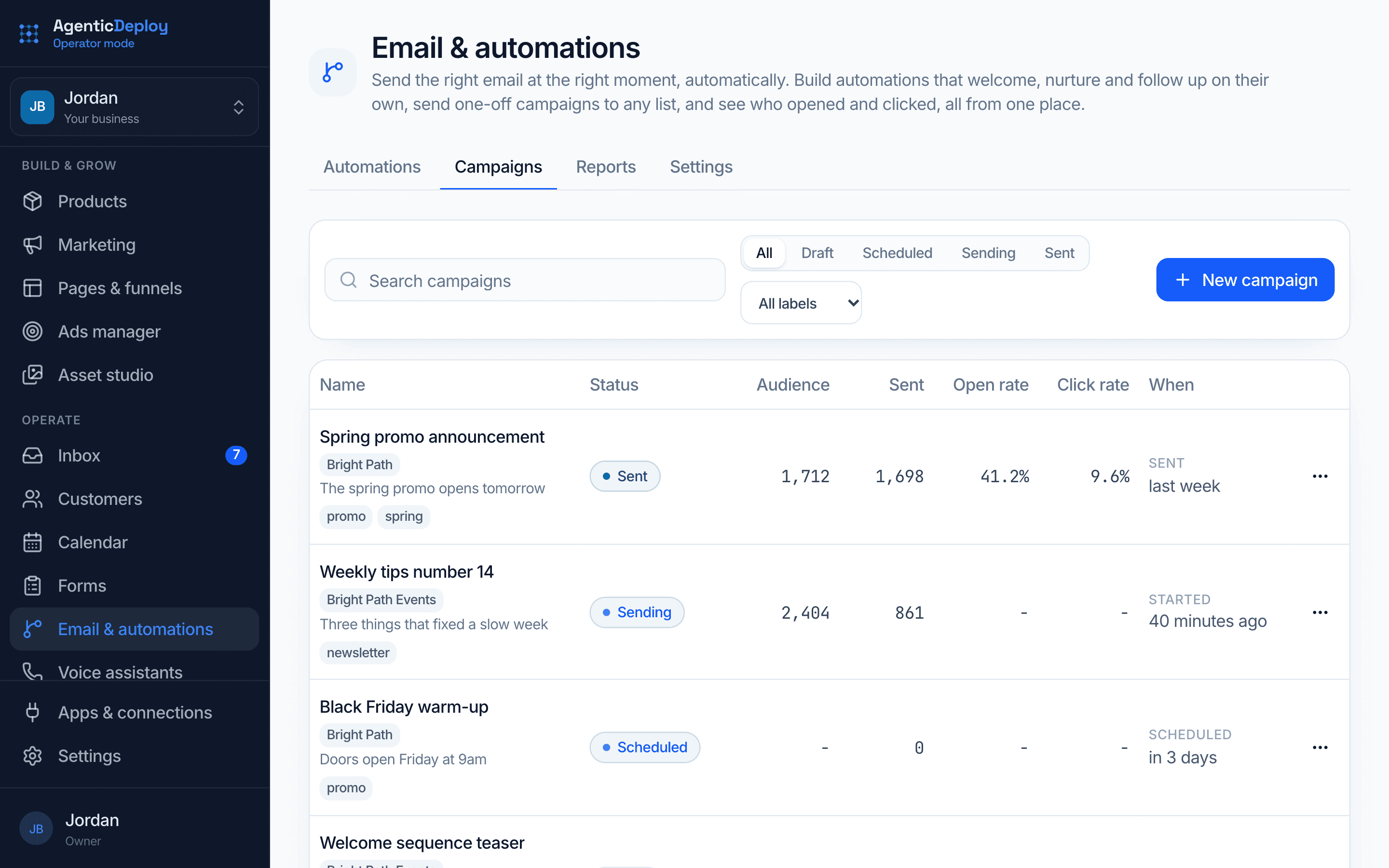
Campaigns
Send to any list, and see what landed.
Write a one-off campaign, schedule it, and see the audience, opens and clicks for every send, right next to your automations.
- Draft, schedule or send now
- Open and click rates on every campaign
- Any list or segment
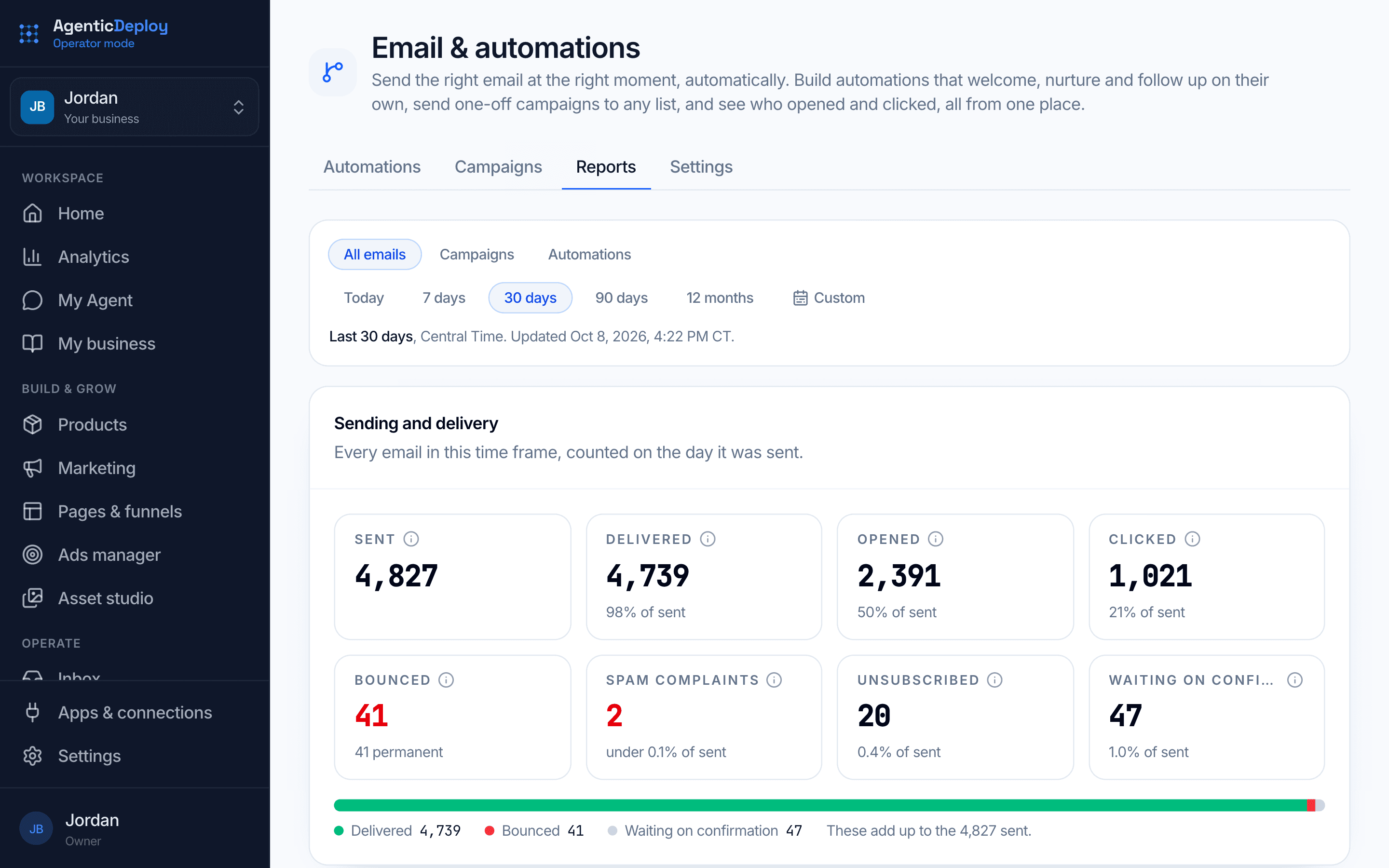
Email reports
Know your emails are landing.
See every email you sent for the dates you pick: how many were delivered, opened and clicked, how many bounced, and who unsubscribed. Click any number to see the people behind it, or open one automation to see how people moved through it.
- Sent, delivered, opened, clicked, bounced and unsubscribed
- All your emails, or just campaigns or just automations
- Click any number to see who it was
- One automation's whole flow, step by step
Turn more of your leads into sales.
Inbox
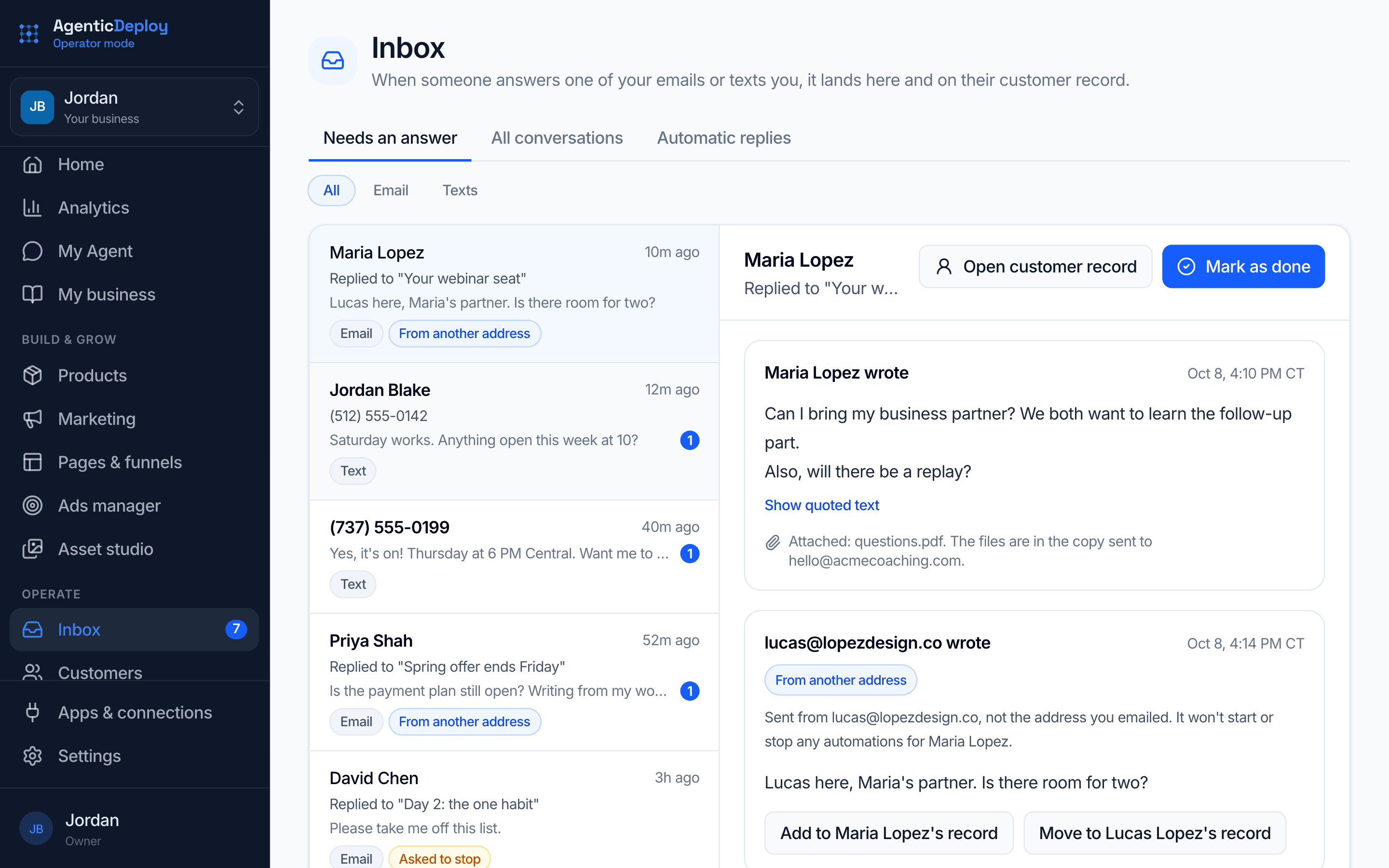
Every reply, in one inbox.
When a lead answers one of your emails or texts you, it lands in one inbox and on their customer record. Ask your agent to draft the answer, change what you want, and send it. If someone asks to stop getting emails, they are taken off your marketing emails for you.
- Email replies and texts side by side
- Email answers your agent drafts send only when you press Send
- Replies from a second address, filed on the right customer in one click
- Out-of-office replies set aside, so they never count as a reply
Customers
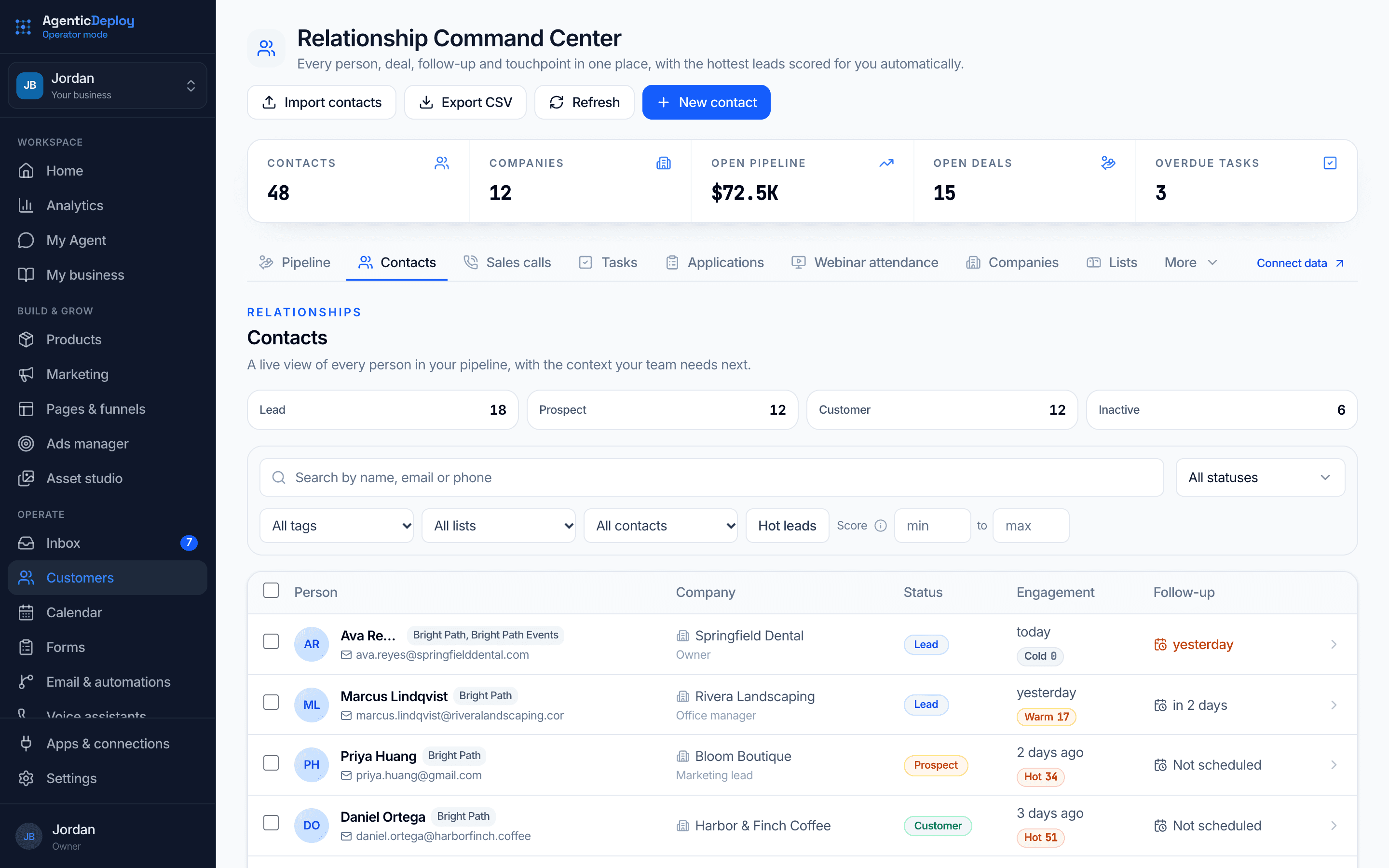
Every person, deal and follow-up in one place.
Your contacts, pipeline, sales calls and tasks live together, with the hottest leads scored for you automatically. When someone buys, opts in or replies, it shows up on their record.
- Leads scored so you know who to call first
- Pipeline, contacts, sales calls and tasks in one view
- Import your list, or export it any time
Calendar
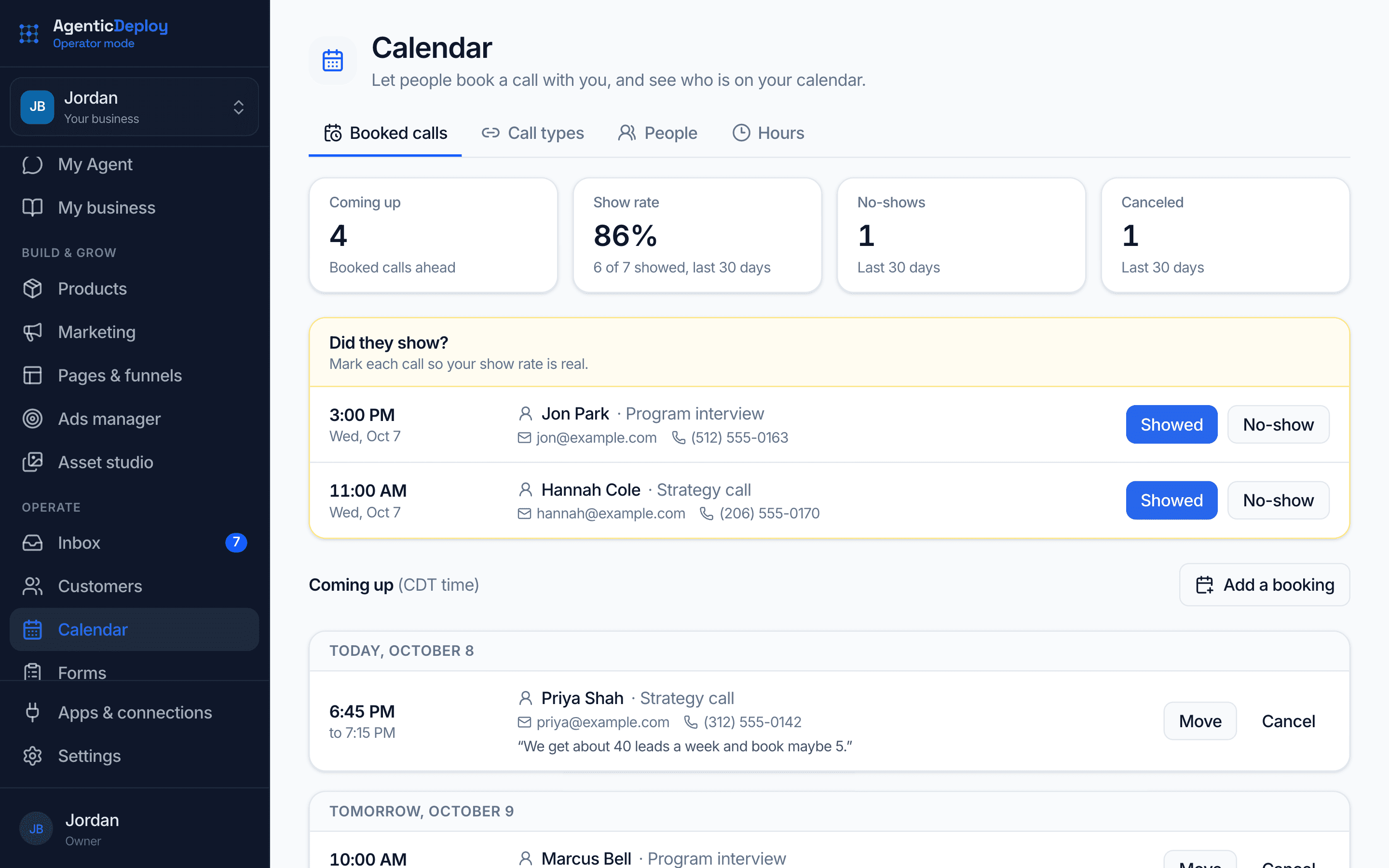
Let people book you, without the back and forth.
Set your call types and your hours, and each one gets its own booking page. Share the link, put it on any website, or drop it into a page you built here. Every booked call lands on that person's record, and the same time is never booked twice.
- A booking page for every kind of call, in your brand
- Reads your Google Calendar for busy times and adds every booking to it
- Share calls across your team, or hand one to someone else
- Mark who showed up and who didn't
Forms and applications
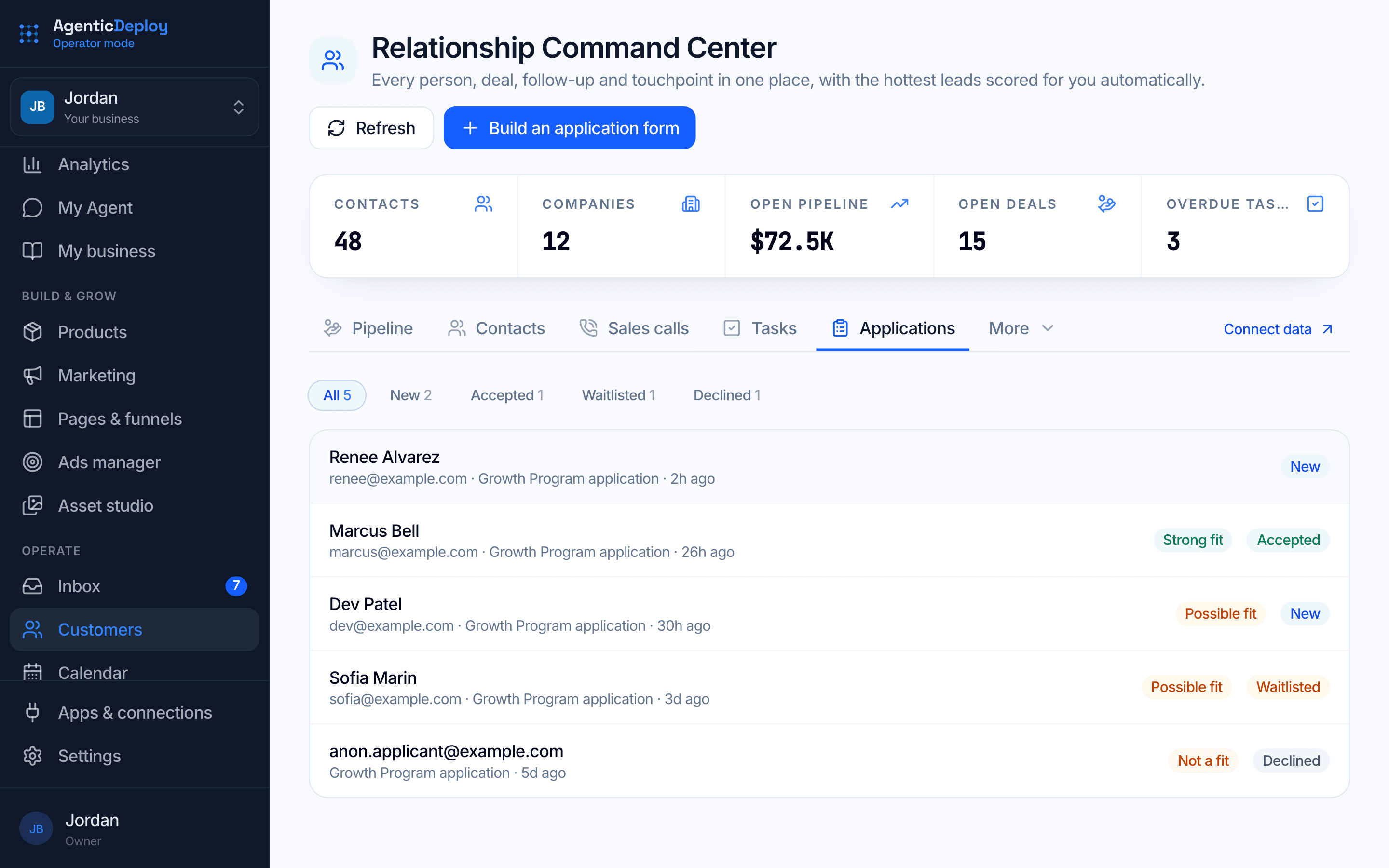
Applications that sort your best leads for you.
Build applications, quizzes and forms that ask one question at a time. Each application arrives complete with a fit grade, and you accept, waitlist or decline. People who qualify go straight to your calendar to book.
- Start from eight templates or a blank form
- Qualified people book a call in the same step
- Add it to any website with one line of code, or as a pop-up button
Voice assistants
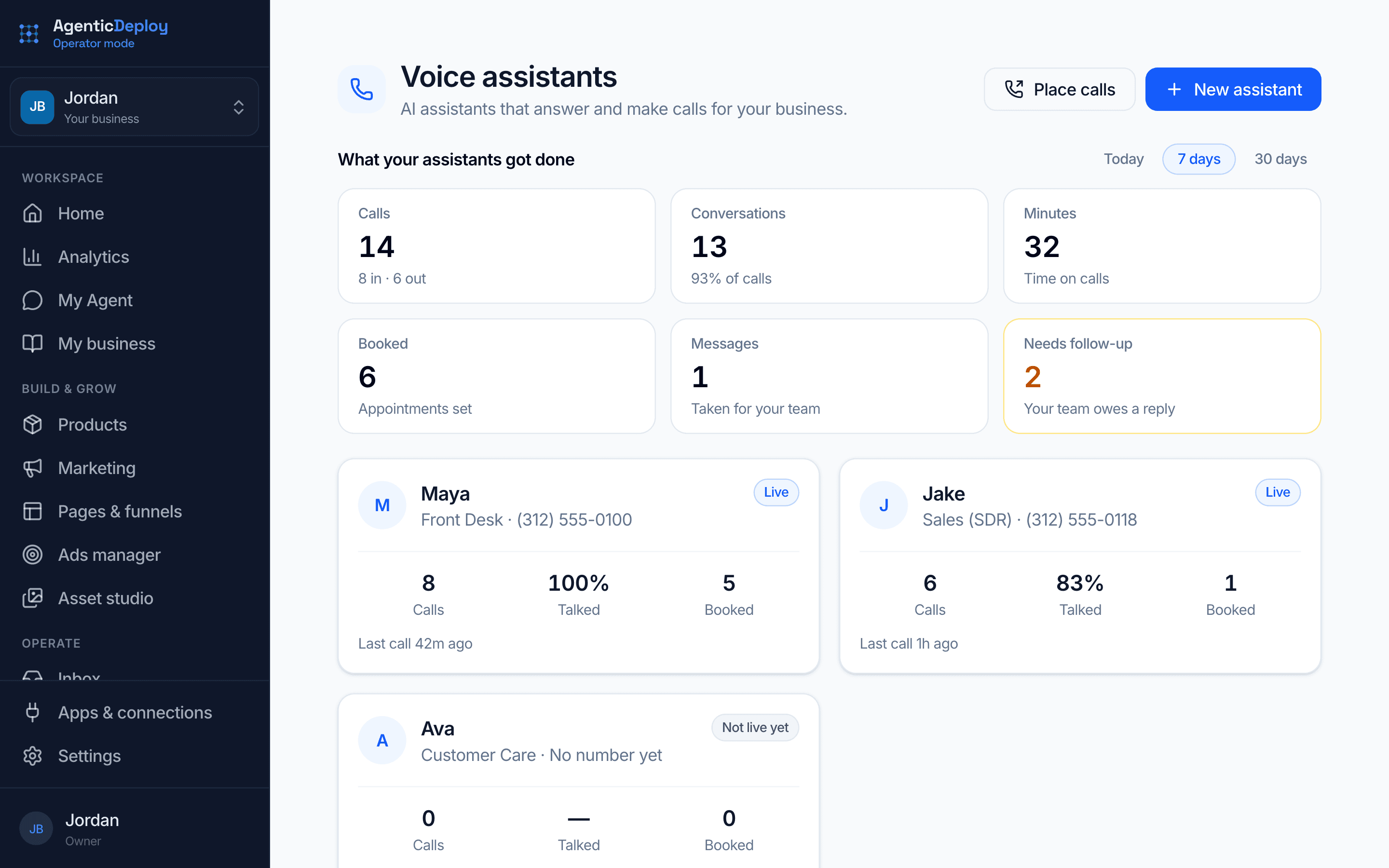
A voice on your phone line that knows your business.
Pick a role: Front Desk, Sales (SDR) or Customer Care. Then train it with skills: answering and routing calls, after-hours cover, speed to lead, webinar reminders and no-shows, booked-call confirmations, win-backs and more. Test it with practice calls before it goes live, then see what it got done. Get a local or toll-free number, or forward the one you have.
- Answers every call, or only after hours
- Books, moves and cancels appointments
- Calls new leads back and follows up with no-shows
- Place calls to one person or a whole list, and watch the queue
- Every call logged with a summary, transcript and recording
- English and Spanish voices
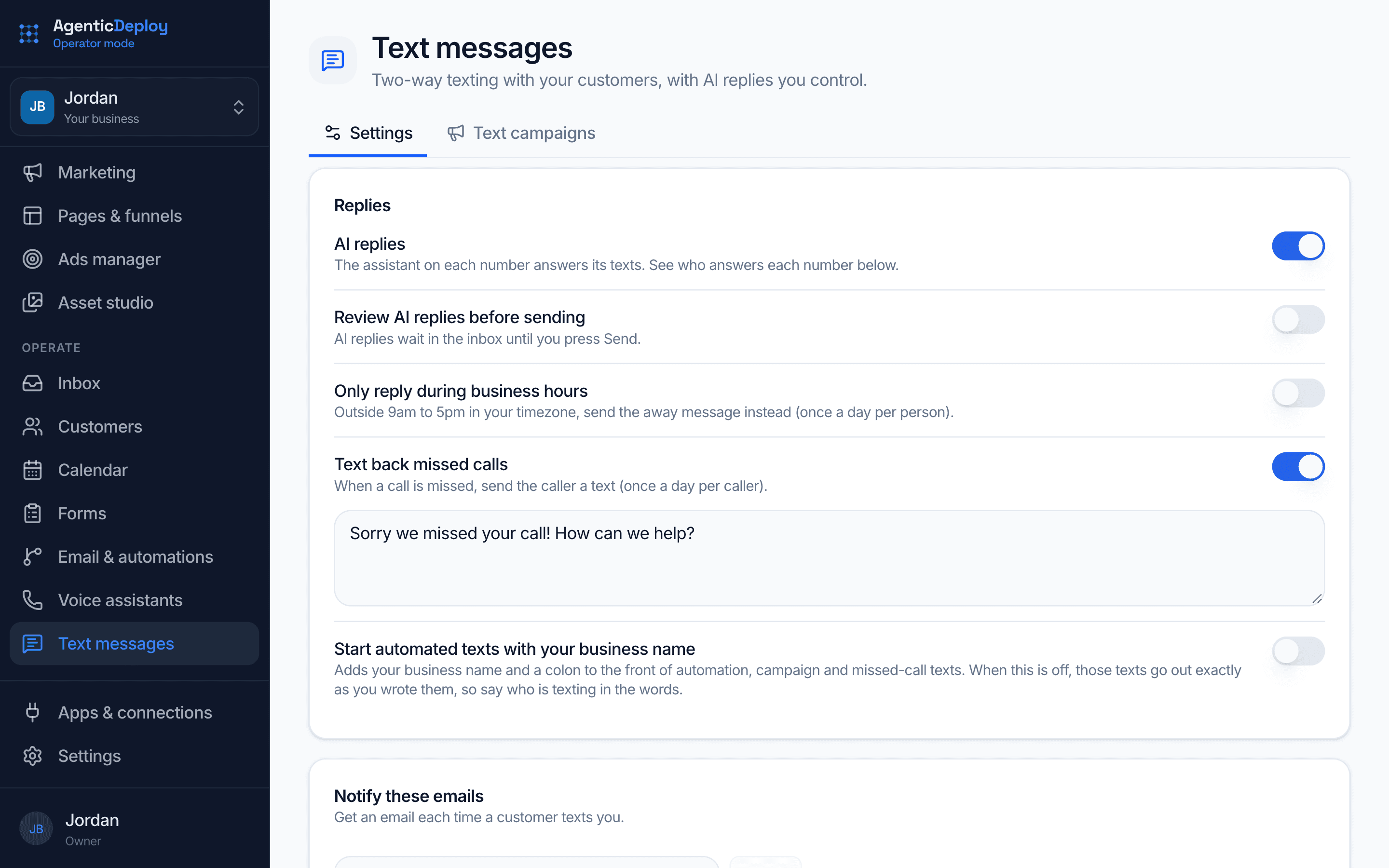
Text messages
Two-way texting that replies for you.
Leads and customers text your number, and your agent answers from what it knows about your business, or holds each reply for you to send. Take over any conversation and hand it back when you are done. Texting turns on once the carriers approve your number, usually in 1 to 3 business days, and the registration form fills itself in from what you told Operator Mode.
- Replies sent for you, or held for your review
- Missed calls get an automatic text back
- Text a whole list, only to people who agreed, with progress you can watch or stop
- Opt-outs, quiet hours and consent handled for you
- Texts inside your automations, right next to email
- Every conversation lands in your Inbox, next to email replies
Sales calls
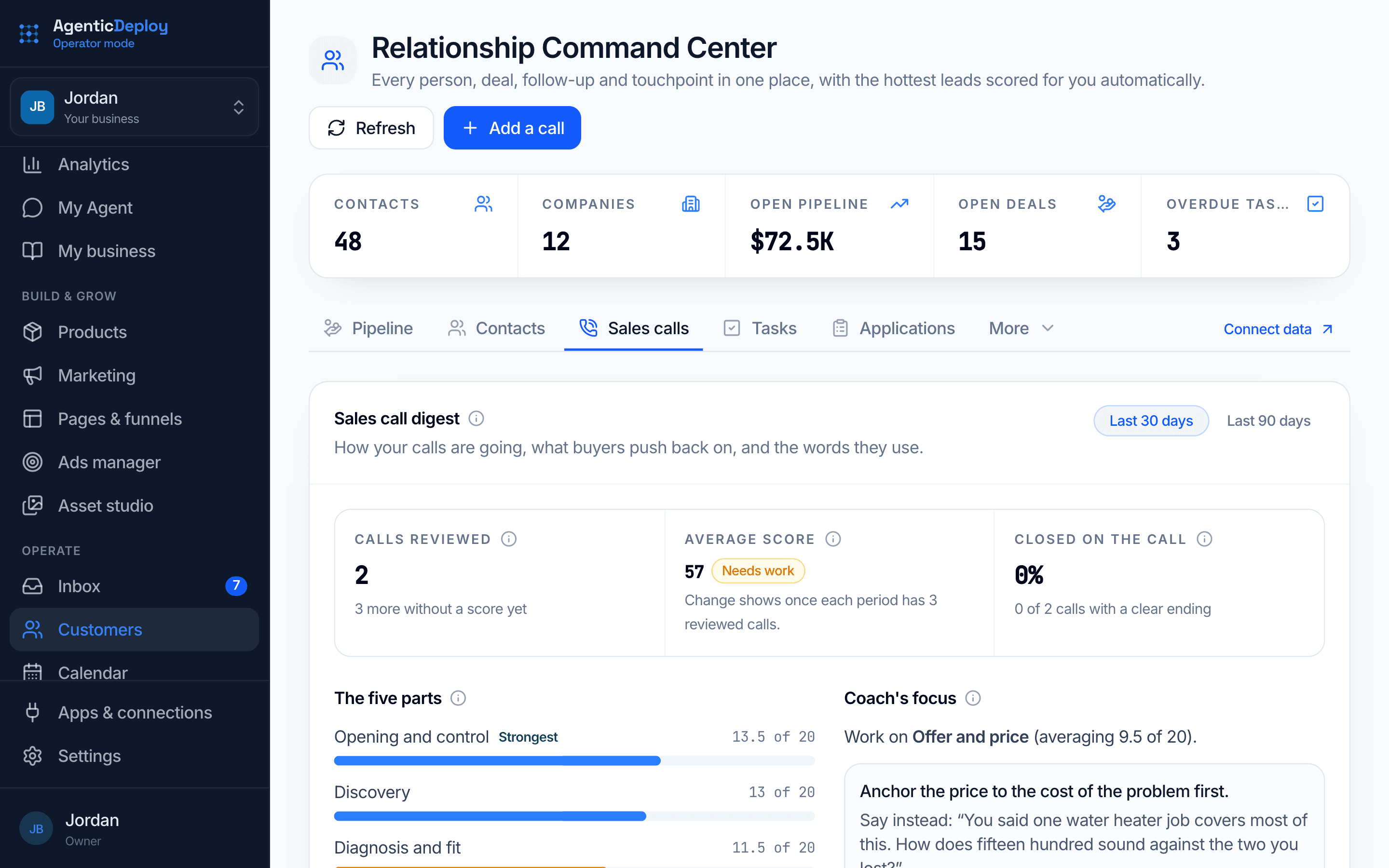
Learn from every sales call.
Connect where your calls are recorded, and your own AI subscription, and each call gets reviewed: a score for every part of the conversation, the objections buyers raised in their own words, and one thing to work on next.
- A score for each part of the call
- What buyers push back on, and the words they use
- One coaching focus at a time
Checkout and your numbers, connected to everything else.
The pieces an online business runs on, in the same place as your customers and your agent, so a launch is not a week of stitching tools together.
What's working
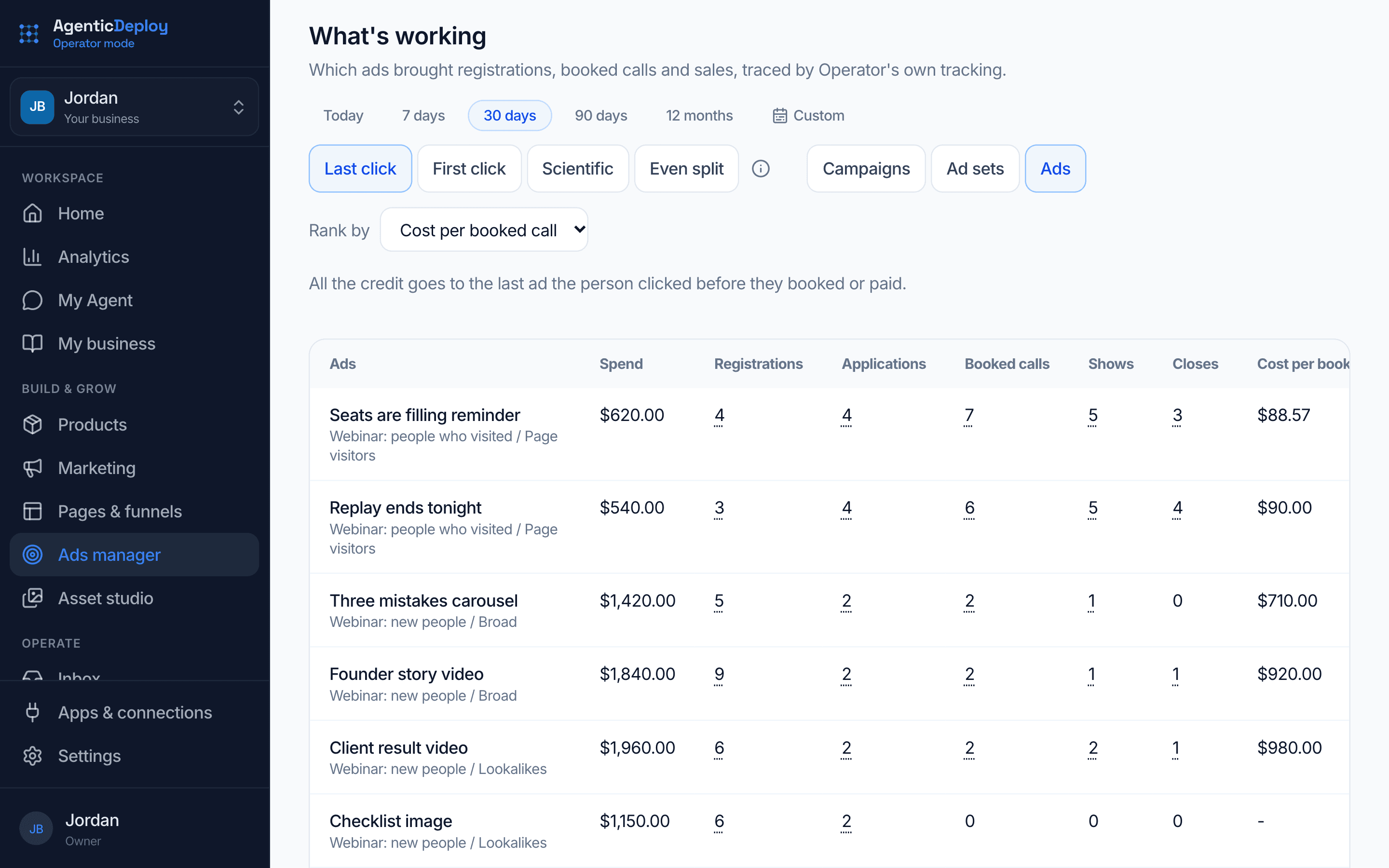
See which ads bring in customers, not just clicks.
Operator Mode follows each person from the ad they clicked to the call they booked and the payment they made, with its own tracking. See every campaign, ad set and ad with what it cost per registration, booked call and sale. Click any count to see the people behind it, and open one person to see their whole path.
- Registrations, applications, booked calls, shows, closes and revenue for every ad
- Choose how credit is given: first click, last click, an even split, or a 40/40/20 blend
- Counts back 90 days, so calls and sales that come weeks later still get credit
- Open any person to see each ad click, visit, booking and payment in order
Products and checkout
Your offers in one catalog, sold through Stripe, Whop or Commas, with one-click upsells, payment plans and promo codes. Buyers get their access right away, including your Skool community.
Analytics
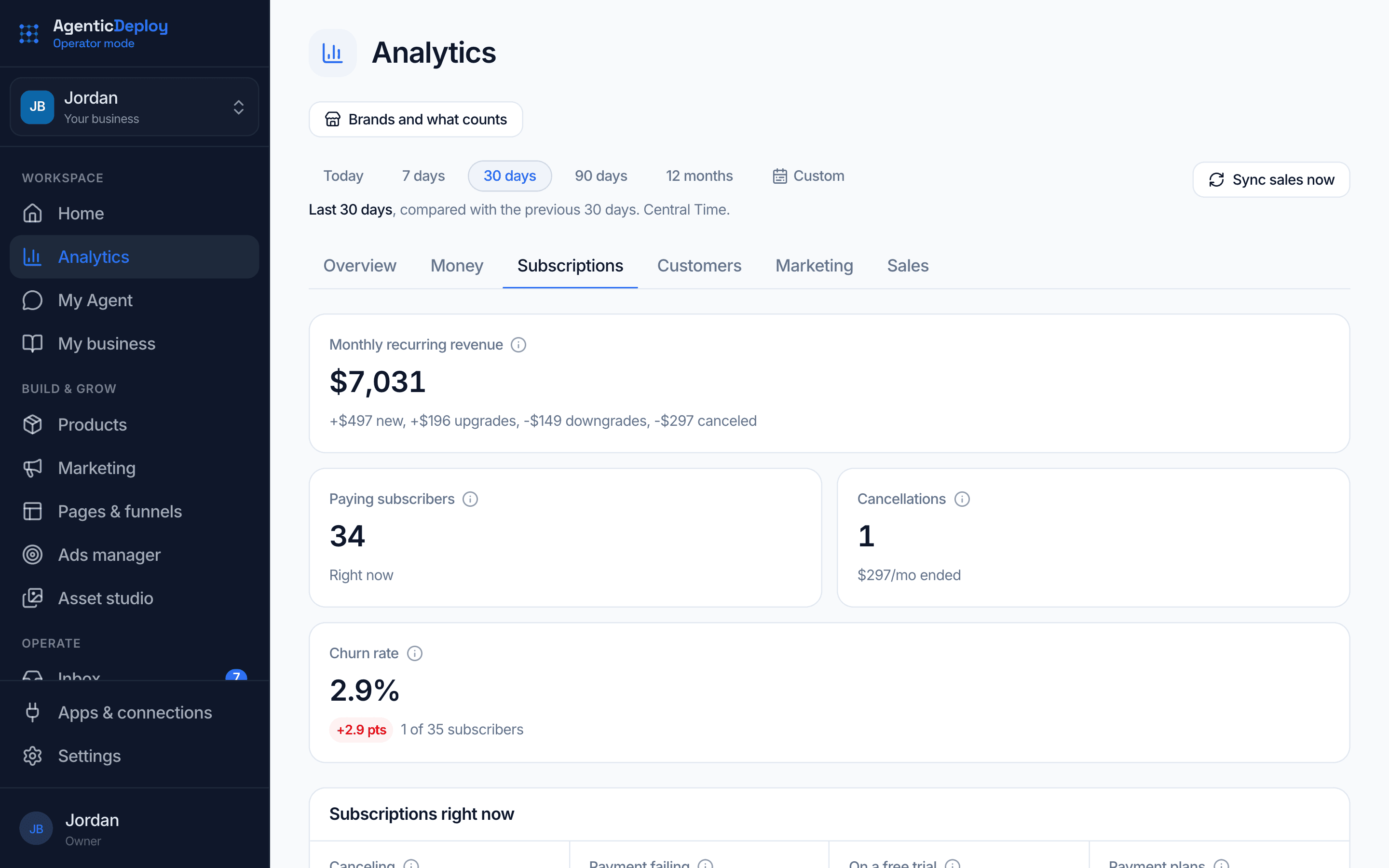
Money, customers, marketing and sales for the dates you pick. If you sell subscriptions, see your monthly recurring revenue, new and canceled subscribers, upgrades and churn.
About Operator Mode.
Who is Operator Mode for?
Online businesses that sell offers, programs or products and want their marketing, sales and follow-up in one place instead of spread across a dozen tools.
Is it available now?
Operator Mode is opening to a small group of businesses first, so each one is set up properly. Apply and tell us about your business, and we will let you know when there is a spot.
Do I have to leave the tools I use today?
No. Keep your current website and connect it, and its visits, leads and sales show up in Operator Mode. Move pieces over as they prove themselves.
How is it different from Agent Mode?
Agent Mode is a team of AI workers you can point at any part of the business. Operator Mode is the growth system for an online business, with an agent working inside it that handles operations, brings in new customers and turns them into revenue. You can use both.
Bring your online business into one place.
Operator Mode is opening to a small group first. Tell us about your business and we will let you know when there is a spot.