Inbox sorted. Files filed. Records current.
A back office worker sorts your inbox, drafts the routine replies, files documents where they belong and keeps your records current, in the apps you already use. The money admin runs too: unpaid invoices listed, missed payments followed up, and a disputed charge pauses the buyer's downloads until it is settled.
Nobody started a business to do paperwork. Somehow it's Tuesday and that's where the whole day went.
- The inbox eats the first hour of every day.
- Documents live in a dozen folders under a dozen names.
- Every new client means the same folder, forms and emails, by hand.
- Unpaid invoices get noticed when cash runs short.
The back office work, handled on a schedule.
Concrete jobs, each labeled with the product that does it.
Every day
- Sort your inbox with labels and pull out the few emails that need youAgent Mode
- Draft replies to routine emails and leave them as drafts for youAgent Mode
- Save attachments to the right Drive folder, named your wayAgent Mode
- Find open time and add holds on your calendarAgent Mode
Every week
- Keep your tracking sheet or Notion database current from the week's emailsAgent Mode
- List unpaid invoices from your QuickBooks aged receivables reportAgent Mode
- Remind you of deadlines and renewals before they arriveAgent Mode
- Export contacts, companies, deals or tasks as a spreadsheet whenever you need themOperator Mode
When it happens
- A new client or vendor: folder, templates, tracking row and kickoff hold set up in your appsAgent Mode
- A document is needed: written up as a PDF or spreadsheet, or a fillable PDF form created or filled in with its layout keptAgent Mode
- A payment plan payment is missed: a reminder goes out with the link to payOperator Mode
- A charge is disputed: their downloads pause until it is settledOperator Mode
- A website has no app to connect: it works through the site in a browser, the way a person wouldAgent Mode
06 / Back Office
What AI does here
The admin never makes the priority list, and never stops demanding to be done: the filing, the records, the prep, the inbox.
AI deployed into the back office owns it end to end: documents prepped, named, and organized, records kept current, paperwork staged for a five-minute review instead of a lost afternoon, the inbox triaged down to what actually needs you.
The hours come back. And they come back every week.
Your next client, set up from one message.
Here is what a back office worker in Agent Mode does with one line from you, working in the apps you connected.
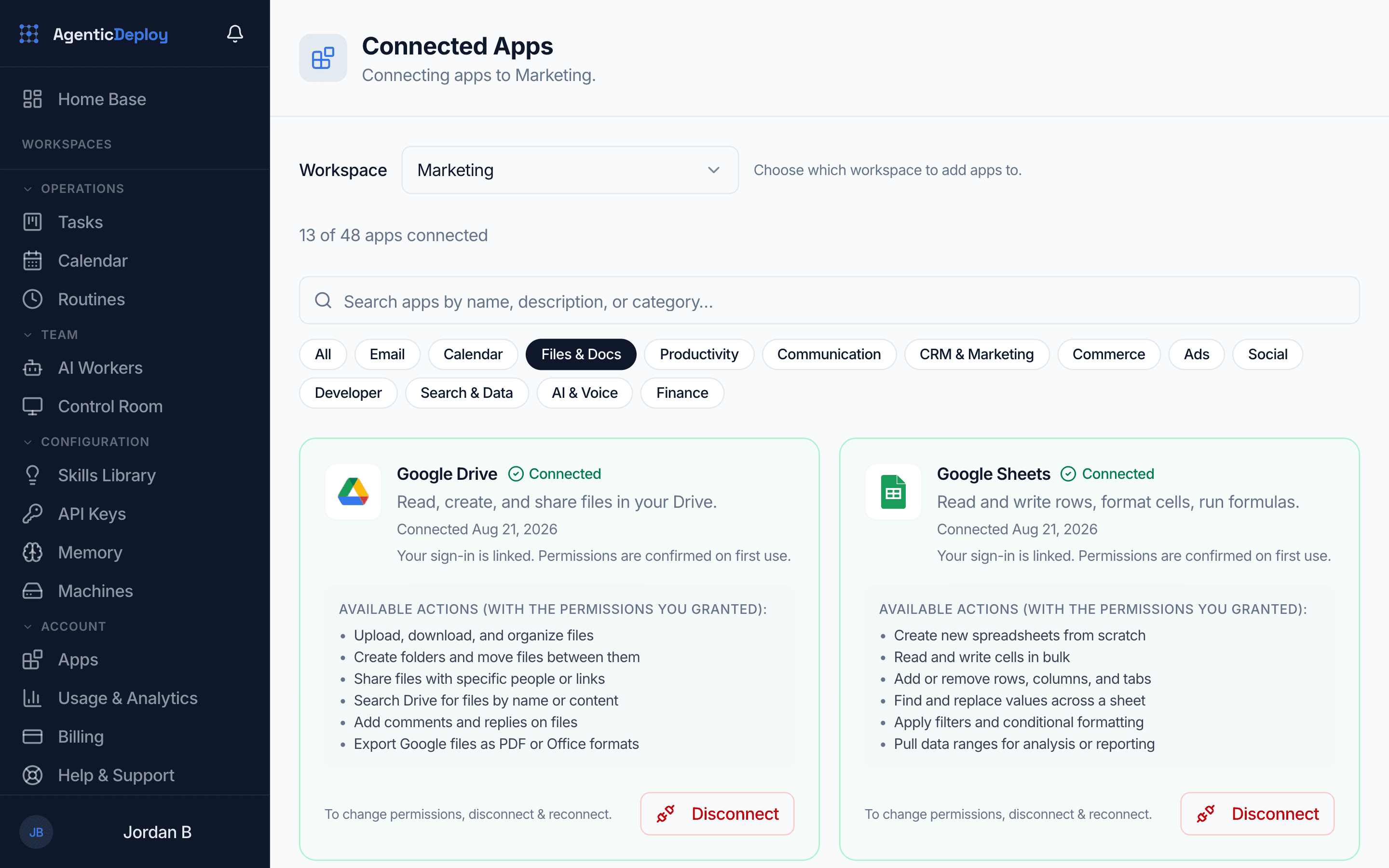
What it needs: Connect Google Drive, Gmail and Google Calendar, plus Google Sheets or Notion.
- 1
You send one line
You say who signed
In web chat, Telegram or Slack: 'New client, Harbor Dental, starts on the 1st.'
- 2
First
It builds the folder
A client folder in Google Drive, with your standard templates copied in and named the way you name things.
- 3
Next
It updates the records
A new row in the tracking sheet or Notion database your team already uses.
- 4
After that
It stages the welcome
A welcome email in Gmail with a link to your intake form, saved as a draft for you to read before it goes.
- 5
Then
It holds the kickoff
It finds an open time on your Google Calendar and adds a kickoff hold.
- 6
At each change
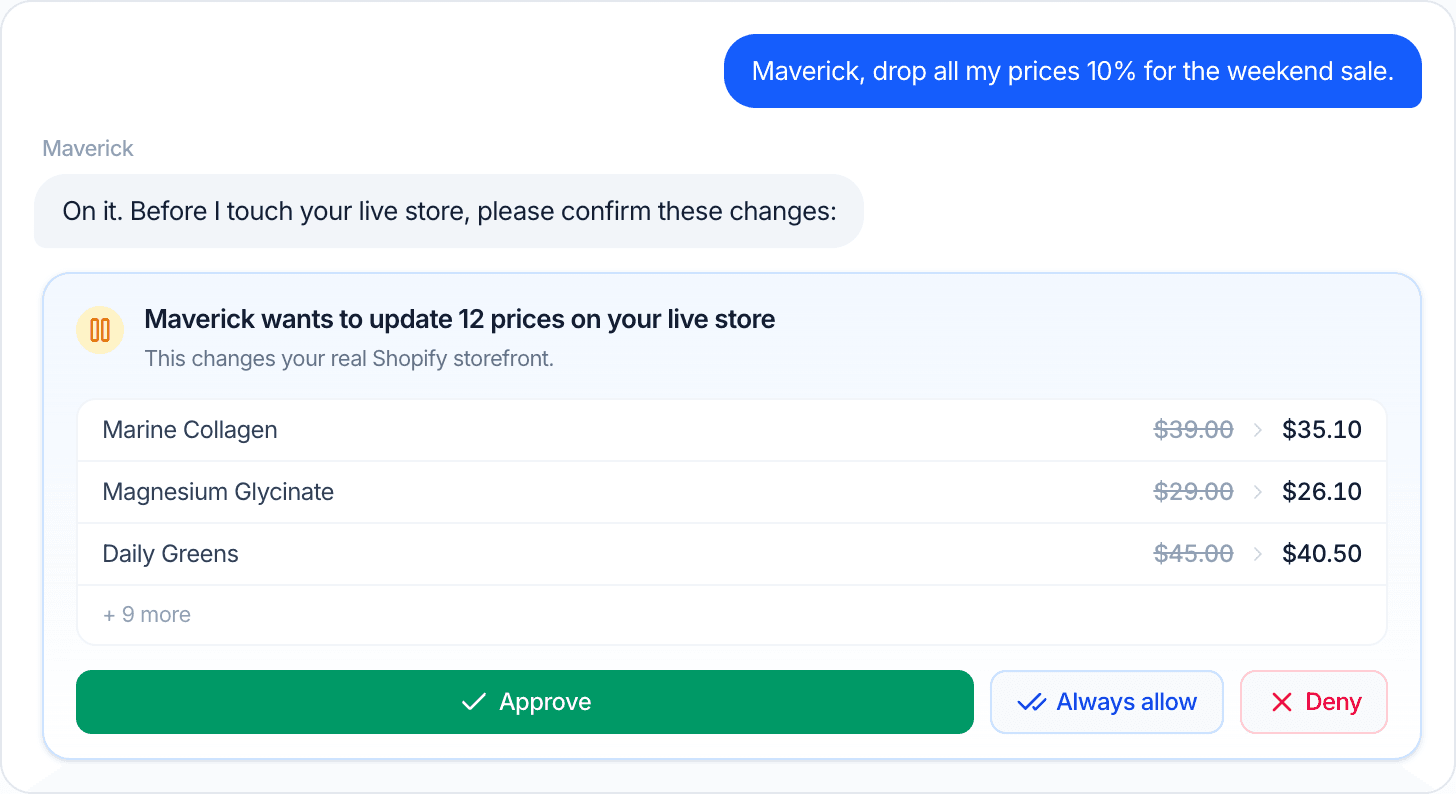
You approve what it touches
With approvals on, it stops before each change and shows you exactly what it will do. Approve it, or choose Always allow so that kind of change goes ahead next time.
The admin handles itself.
Set it up once and the busywork runs every day. Changes to your accounts wait for your yes until you choose Always allow for that kind of change.
- Your inbox sorted and the routine replies drafted before you sit down
- Attachments filed and named your way, every day
- Trackers and records updated from the week's emails
- Unpaid invoices listed every week, with who to chase
- Missed payment plan payments followed up automatically
- Deadline and renewal reminders sent before they arrive
Start with approvals on. As trust builds, let more run on its own, one kind of action at a time.
What stays with you
You choose which actions wait for your yes. In the back office, these are the ones to keep in your hands:
- Anything that gets signed or paid
- What gets deleted
- Access to your accounts and files
- Which emails go out under your name
Where it runs
A back office worker that works in the inbox, calendar, files and records you connect.
Your customer records in one place, with spreadsheet import and export, payment follow-up and task reminders by email.
The rest of the business.
Put AI on your admin.
Tell us which apps your back office runs on in about two minutes. If there is a fit, we will show you this running on your business on a short call.